
Storefront data
Ce contenu n’est pas encore disponible dans votre langue.
Storefront data writes your live discounts into your store. DiscountOS stores them in Shopify as metafields on your products, your collections and your shop. Your theme reads them with Liquid when it renders a page.
The data is part of the page when Shopify renders it. The theme does not call DiscountOS to get it.
Example screens
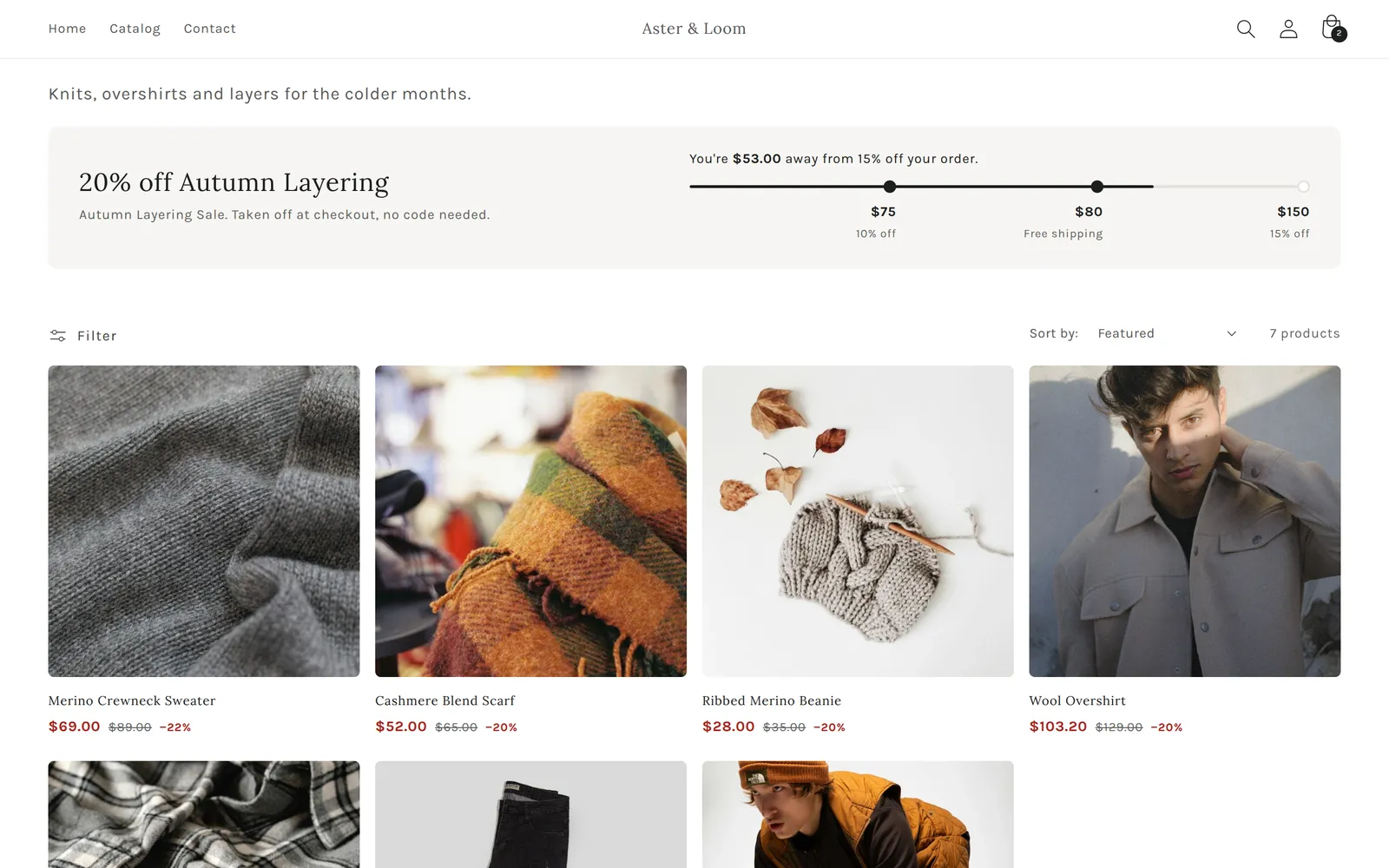
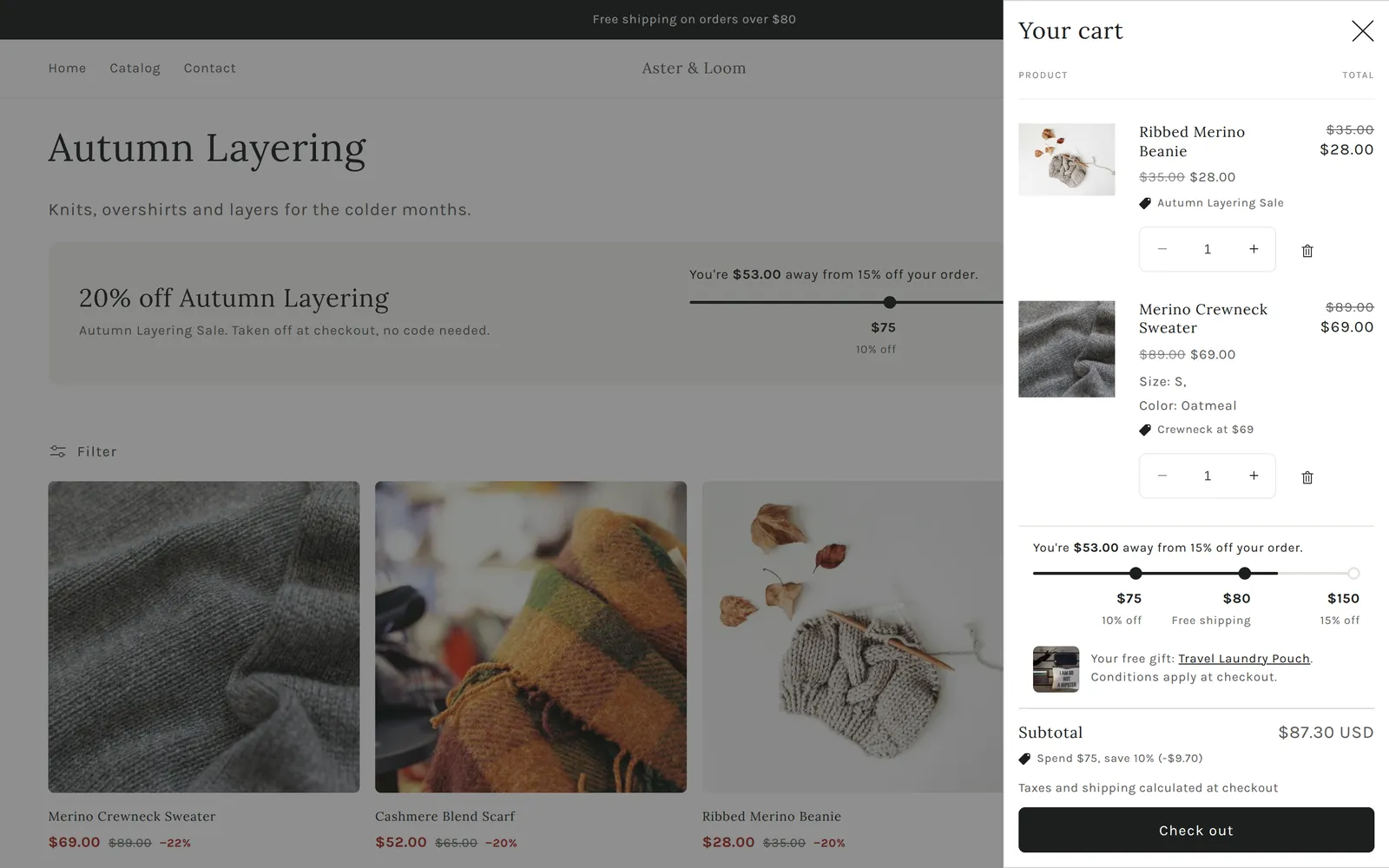
Section titled “Example screens”These screens are a Dawn theme on a test store. Every discount detail on them is read from Storefront data.
Product page. The price after the automatic discount for the selected size and colour, with the original price struck through. Under Add to cart, a box listing other offers for this product: spend thresholds, free shipping, a bundle and a members line.

Collection page. The collection’s best offer and how far the cart is from each order reward, above product cards with the discounted price.
Cart. The same steps inside the cart drawer, and the free gift the cart has reached.
The same data also covers:
- A “Save up to 20%” badge from the ready-made best value.
- A quantity-break table with the price per item.
- A button that copies a discount code.
- A countdown for offers with an end date.
Examples has the Liquid for each of these. Layout notes explains how the screens above are put together.
How it works
Section titled “How it works”- Only live discounts are in the data. A scheduled discount appears after its start time. An ended or turned-off discount is removed.
- Your DiscountOS automatic discounts are in by default. Discount codes, Shopify’s own
discounts and other apps’ discounts are added when you tag them
dos:publish. See Which discounts are published. - The data is in three places: on each product a discount applies to, on each collection it targets, and on the shop for discounts that cover the whole store, the order or shipping.
- It updates when your discounts change. When a discount is created, edited, starts or ends, DiscountOS rewrites the data, usually within a minute. A tag change can take up to about 2 minutes. See When the data changes.
- You turn it on in the app. Open Manage discounts. Storefront data is the line at the bottom of the discount list. See Turn it on and control it.