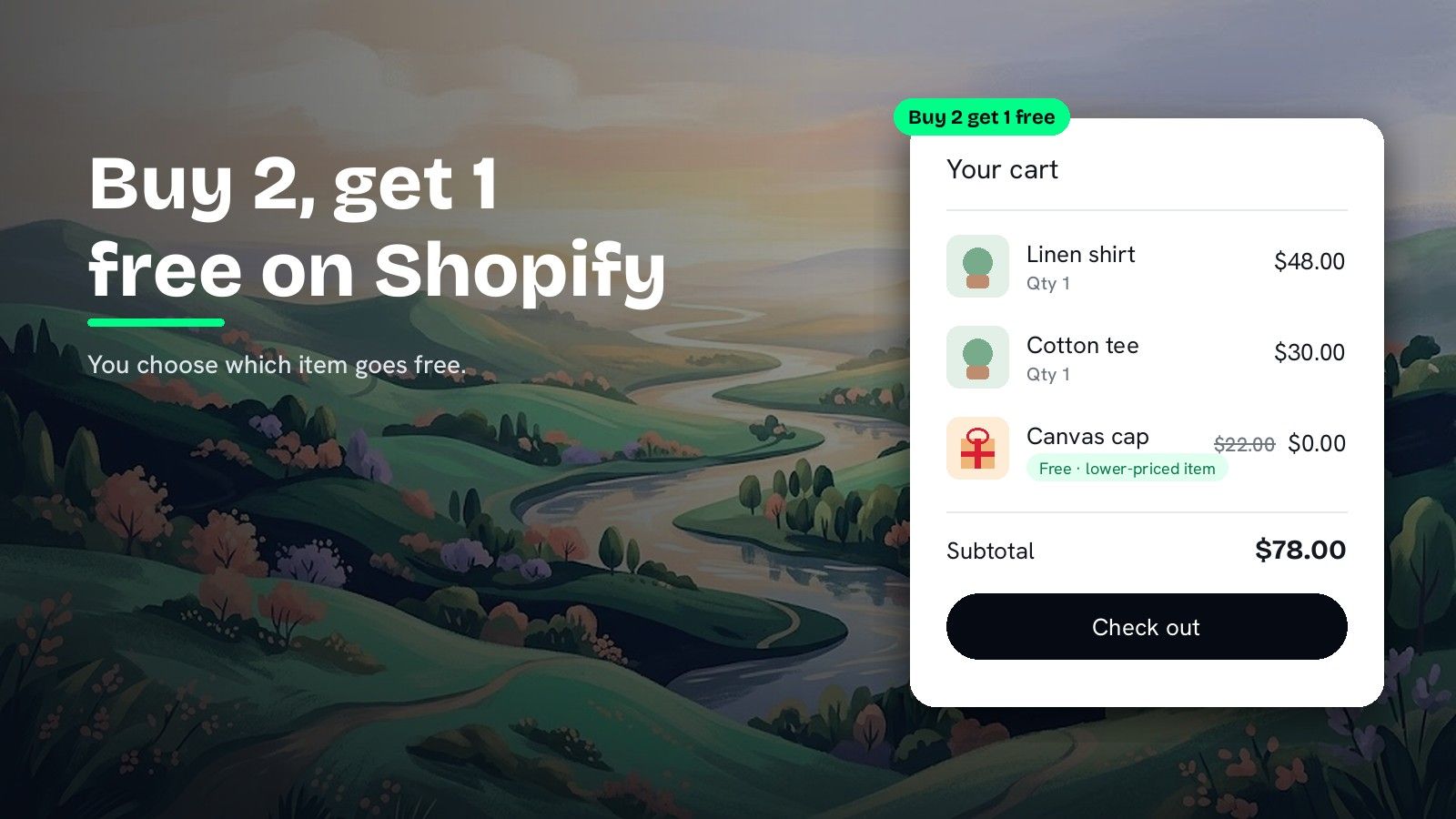
How to do buy 2 get 1 free on Shopify (and choose which item is free)
How to do buy 2 get 1 free on Shopify, fix a buy X get Y discount that is not working, and choose whether the cheapest or priciest item goes free.
DiscountOS is a Built for Shopify discount app that runs multiple offers inside a single automatic discount, including market-specific and tiered discounts.
How does buy 2 get 1 free work on Shopify?
Buy 2 get 1 free is a buy X get Y offer: the shopper buys two qualifying items and a third qualifying item costs nothing. In Shopify admin you build it as a Buy X get Y discount, with the items the shopper buys in Customer buys and the free item in Customer gets. The Shopify Help Center sets two rules that shape the result. First, when the buy and get items are the same product or collection, “the lower-priced item that the customer chooses is the item that the customer gets at a discount.” Second, “Customers must add all items to their cart manually,” and the free item “is never automatically added to the cart.” So on a native same-collection offer, the shopper puts all three items in the cart and the cheapest one goes free. DiscountOS Buy X Get Y keeps the same buy-and-get shape and adds Sort get items for discount, so the free item can be the cheapest or the priciest, plus a per-order limit and tiers.
Shopify buy X get Y not working? Set the minimum for same-item offers
In DiscountOS Buy X Get Y, Minimum quantity of items customer must buy is “how many qualifying items must be in the cart before the reward is given,” and an item that matches both rules counts as a buy item and as a reward item. So when Customer Buys and Customer Gets point at the same collection, set Minimum quantity to 3 for a “pay for 2, get the 3rd free” offer.
With Maximum uses per order on Unlimited, the DiscountOS docs put it this way: “a cart with six qualifying items on a ‘buy 2 get 1’ offer gets three rewards.” Here is what each setting gives on one collection:
| Items in the cart | Minimum 2, gets 1 (same collection) | Minimum 3, gets 1 (same collection) |
|---|---|---|
| 2 | 1 free | 0 free |
| 3 | 1 free | 1 free |
| 4 | 2 free | 1 free |
| 6 | 3 free | 2 free |
| 9 | 4 free | 3 free |
When the free item comes from a different collection, for example socks with shirts, set the minimum to 2: the shopper buys two shirts and gets one pair of socks.
Shopify’s Buy X get Y and DiscountOS, side by side
| Question | Shopify Buy X get Y (Help Center) | DiscountOS Buy X Get Y | DiscountOS Gift with Purchase, Same item |
|---|---|---|---|
| Which item goes free when buy and get items are the same? | The lower-priced item | Your choice: Lower-priced items first or Higher-priced items first | A unit of the gift variant |
| Limit per order | Set the maximum number of uses per order | Maximum uses per order: Unlimited or Limited | Maximum gifts per order |
| Is the free item added to the cart? | “never automatically added to the cart” | The shopper adds it | Yes, when the Promotions app embed is on |
| Tiers (buy more, get more) | Not described on the Buy X get Y Help Center page | A ladder of tiers in one discount | Use Buy X Get Y for tiers |
| Markets | Markets can be chosen under eligibility | All markets or the markets you pick | All markets or the markets you pick |
The Shopify Help Center page on Buy X get Y discounts describes no setting that makes the higher-priced item the free one.
How to create buy 2 get 1 free in DiscountOS
- Open DiscountOS, click Create discount, and choose Buy X Get Y. It sits in the Discounts section of the create menu, with the example “Buy 2, get 1 free”.
- Choose Automatic and type a Title. Shoppers see the Title next to the saving, so “Buy 2 get 1 free” works.
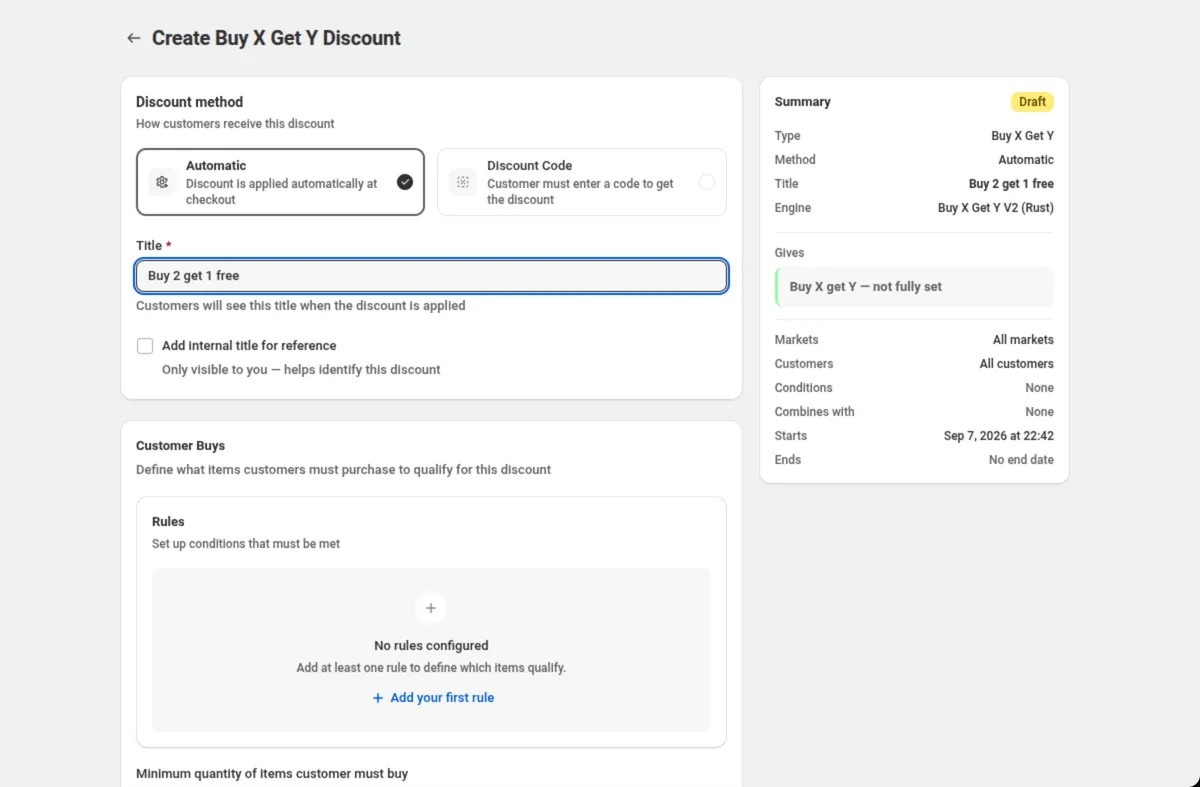
- Set Customer Buys. Click Add your first rule and pick Specific collections · is one of · T-shirts. Set Minimum quantity of items customer must buy to 3 when the free item comes from the same collection, or 2 when it comes from a different one.
- Set Customer Gets. Add a rule for the reward items, for example the same Specific collections · is one of · T-shirts.
- Set the reward. In Discount Configuration, set Quantity of items customer gets to 1 and Discount type to Free.
- Choose how often it applies. Under Maximum uses per order, keep Unlimited so every set gets a free item, or pick Limited and enter Maximum number of uses.
- Choose which item is free. Set Sort get items for discount to Lower-priced items first to give away the cheapest item, or Higher-priced items first to give away the most expensive one. Higher-priced items first is the default.
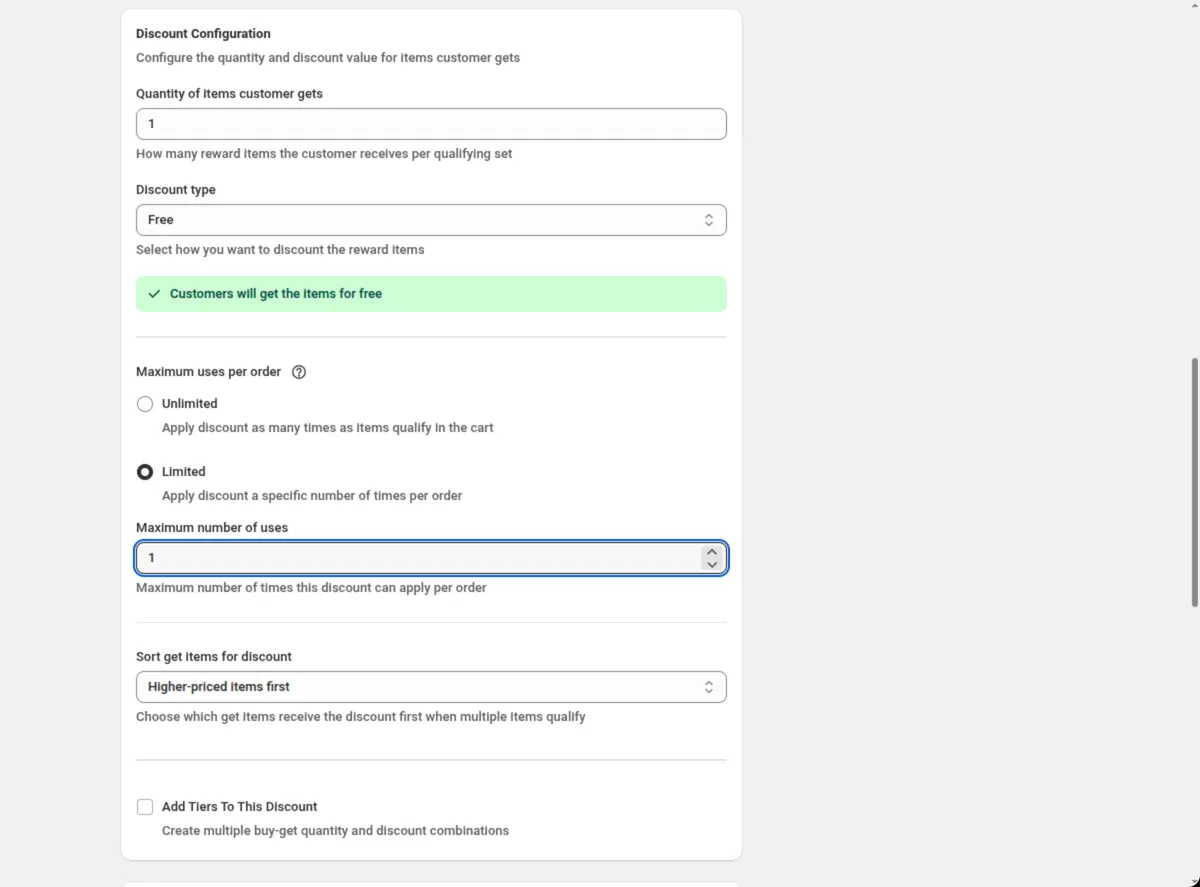
- Set combinations, purchase type, markets and dates, then save. Save from the bar at the top of the page.
Every field is explained in the Buy X Get Y docs.
Buy more, get more with tiers
Tick Add Tiers To This Discount to turn one offer into a ladder. Each tier has its own Customer buys quantity, Customer gets quantity, Discount type and value. The DiscountOS docs example: buy 2 candles and get one at 25% off, buy 4 and get 2 free. Sort get items for discount applies to every tier.
How to do buy 2, get the 3rd free of the same product
When the offer is on one product, like a pack of socks in one color, DiscountOS Gift with Purchase has a mode built for it, and with the Promotions app embed on it puts the free unit in the cart for the shopper.
- Open DiscountOS, click Create discount, and choose Gift with Purchase. It sits under Advanced.
- Type a Title, for example “Buy 2 get 1 free”.
- Set The gift unlocks by to Minimum quantity and enter 2 in Minimum quantity. Keep Gift tiers off.
- Pick the gift in Free gift: the product variant the offer runs on, for example “Cotton socks, Black”. Set Free quantity to 1.
- Turn on Same item as the gift. The gift is now one of the qualifying items rather than a different product.
- Set Maximum gifts per order if you want a ceiling, then set combinations, markets and dates, and save.
- Turn on the Promotions app embed. With the embed on, Gift with Purchase adds the free unit to the cart once the cart qualifies.
For a repeating offer across a mixed collection, use Buy X Get Y with Maximum uses per order on Unlimited, as in the steps above. Every Gift with Purchase setting is explained in the Gift with Purchase docs. For a free gift that is a different product, like a tote over $100, read free gift with purchase on Shopify.
Which DiscountOS setup fits your offer?
| Your offer | DiscountOS setup |
|---|---|
| Buy any 2 from a collection, get the cheapest of 3 free | Buy X Get Y · minimum 3 · gets 1 · Free · Lower-priced items first |
| Buy any 2, get the most expensive of 3 free | Buy X Get Y · minimum 3 · gets 1 · Free · Higher-priced items first |
| Buy 2 shirts, get 1 pair of socks free | Buy X Get Y · buys Shirts, minimum 2 · gets Socks, 1 · Free |
| Once per order, however much they buy | Maximum uses per order: Limited · Maximum number of uses: 1 |
| Buy 2 get 1 at 25% off, buy 4 get 2 free | Buy X Get Y · Add Tiers To This Discount |
| Buy 2, get the 3rd of the same product free | Gift with Purchase · Minimum quantity 2 · Same item as the gift |
Tips before you launch
- Price out the free item. Giving away the most expensive of three costs more than giving away the cheapest. The break-even guide shows what a discount does to margin.
- Test a cart of 2, 3 and 6. The table above is what each cart should show. Use it to check your minimum.
- Combinations are Shopify’s call. Ticking a box in Discount can be combined with tells Shopify this discount may run alongside that kind; Shopify decides what applies.
- Every automatic discount uses a slot. The Shopify Help Center says: “You can have a maximum of 25 active automatic discounts. This total includes app-based discounts.” How to have more than 25 automatic discounts on Shopify covers running more offers in fewer slots.
Want the priciest item discounted without a buy-and-get offer? How to discount the most expensive item in the cart covers three ways. For a set price like 3 for $50, read how to create a mix and match bundle discount on Shopify.
Questions merchants ask
Why is my Shopify buy X get Y not working for multiple sets? Check the per-order limit first. The Shopify Help Center describes an optional Set the maximum number of uses per order box on a Buy X get Y discount, and a limit of 1 stops the offer after one set. In DiscountOS Buy X Get Y, set Maximum uses per order to Unlimited, and set Minimum quantity to 3 when the buy and get items are the same, so every set of three gives one free item.
Does Shopify add the free item to the cart automatically? Not with a Buy X get Y discount. The Shopify Help Center says: “Customers must add all items to their cart manually. The free or discounted ‘get’ item is never automatically added to the cart.” DiscountOS Buy X Get Y works the same way. DiscountOS Gift with Purchase adds the gift to the cart when the Promotions app embed is on.
Can I make the most expensive item the free one? In a native Shopify Buy X get Y discount where the buy and get items are the same, the Help Center says the lower-priced item is the one discounted. In DiscountOS Buy X Get Y, set Sort get items for discount to Higher-priced items first and the most expensive qualifying item goes free.
How do I set up buy 2, get the 3rd free of the same product? Use DiscountOS Gift with Purchase. Set The gift unlocks by to Minimum quantity, enter 2, pick the product variant as the gift, set Free quantity to 1 and turn on Same item as the gift. The third unit of that variant becomes the free one.
Is DiscountOS free? Yes. DiscountOS is free to install and use, and Buy X Get Y and Gift with Purchase are included. DiscountOS carries the Built for Shopify badge on the Shopify App Store.
Sources
- Shopify Help Center, Buy X get Y discounts: “Customers must add all items to their cart manually. The free or discounted ‘get’ item is never automatically added to the cart.” “If the product or collection is the same as the one set in the Customer buys section, then the lower-priced item that the customer chooses is the item that the customer gets at a discount.” The optional Set the maximum number of uses per order setting. Read on 26 September 2026.
- Shopify Help Center, Discount combinations: “You can have a maximum of 25 active automatic discounts. This total includes app-based discounts.” Read on 26 September 2026.
- DiscountOS on the Shopify App Store, listed as DiscountOS ‑ Market Discount, read on 26 September 2026: Built for Shopify, free.
- DiscountOS documentation: Buy X Get Y, Gift with Purchase.