How to create a Shopify discount based on customer tag (automatic or code)
Give customers tagged VIP or Wholesale a Shopify discount, automatic or code, with a customer segment or the DiscountOS Customer tags condition.
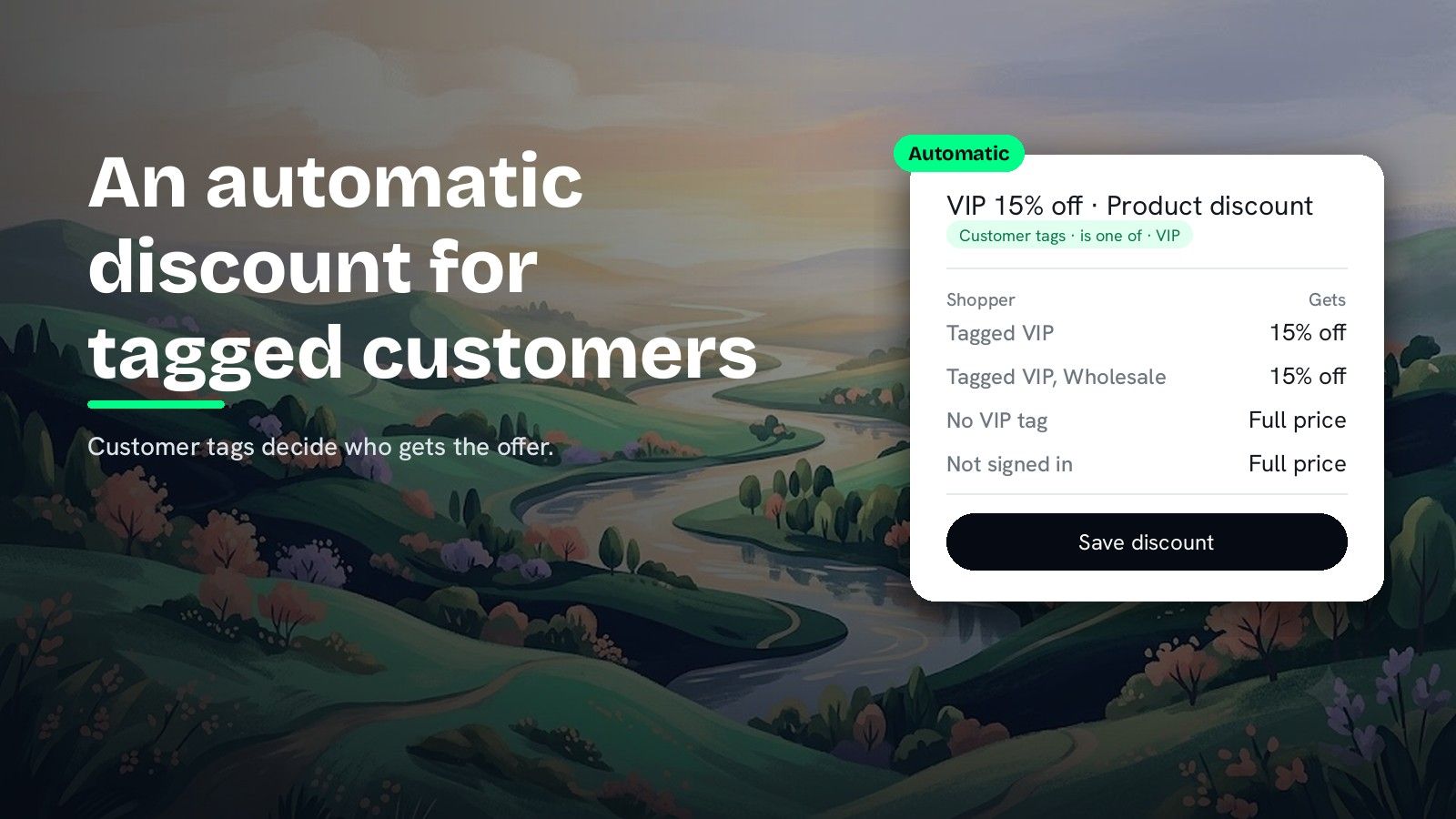
DiscountOS is a Built for Shopify discount app that runs multiple offers inside a single automatic discount, including market-specific and tiered discounts.
Can you give a Shopify discount based on a customer tag?
Yes, and for automatic discounts the answer changed in 2025. Shopify’s changelog of 6 August 2025 reads: “We’ve added a new eligibility section for automatic discounts.” An automatic discount can now apply to all customers, selected segments or individual customers. A tag reaches that setting through a segment. Shopify’s segment reference lists a customer_tags filter that “Includes customers based on their tags”, with the example customer_tags CONTAINS ‘GoldStatus’. The Shopify Help Center sets Shopify’s cap, which applies to every app: “For automatic discounts, you can have up to 5 customer segments for a single discount.” DiscountOS gives a second route that needs no segment. Its Customer tags condition reads the tag straight from the customer record, with is one of and is not one of, so a VIP discount needs no segment at all. The same rule can also require a cart subtotal, a collection or a signed-in customer, which a segment on its own does not express.
Customer segment or customer tag condition: which one fits?
| What you need | Native Shopify | DiscountOS |
|---|---|---|
| Automatic discount for one tag | Build a segment on customer_tags, then assign it (Help Center, segment reference) | Customer tags · is one of · VIP in Discount Rules |
| Keep a tag out, like Wholesale | A segment built with customer_tags NOT CONTAINS “Wholesale” (segment reference), then assigned to the discount | Customer tags · is not one of · Wholesale |
| Tag plus a cart rule (VIP and $100 or more) | A segment covers the tag; the cart rule is a separate setting | One rule group: Customer tags AND Cart subtotal |
| Customer segments | Up to 5 on an automatic discount, up to 100 on a code (Shopify Help Center) | Limit to customer segments on Product, Order, Shipping and Price List discounts |
A native segment is a good fit when the audience is already a saved segment you reuse across discounts and emails. Shopify’s Help Center says that after you create a segment, “customers are automatically added or removed to the segment list based on whether they meet the segment criteria.” A DiscountOS Customer tags condition fits when the tag is the whole rule, when you need to exclude a tag, or when the tag must sit next to cart or product conditions.
How to set up a discount based on customer tag in DiscountOS
- Tag the customers in Shopify. Add the tag, for example
VIP, to each customer record in your Shopify admin. DiscountOS reads the tag from the customer record. - Open DiscountOS, click Create discount, and choose a type. Pick Product Discounts for items, Order Discounts for the order total or Shipping Discounts for delivery.
- Choose Automatic and give it a title. Under Discount method, pick Automatic, then type a Title such as “VIP 15% off”. Shoppers see this title next to the saving. Pick Discount Code instead if tagged customers should type a code.
- Add the tag rule. In Discount Rules, click Add your first rule, set Field to Customer tags, Operator to is one of, then type
VIPand click Add. AddWholesaleor more tags the same way. - Add more conditions if you need them. Click Add condition for a spend threshold, such as Cart subtotal · is greater than or equal to · 100, and keep Between conditions on AND. Add Customer logged in · equals · True so tagged shoppers are recognised from their account.
- Set the discount. In Discount Configuration, choose the Discount Type and enter the value, for example Percentage off and 15.
- Optional: add a Shopify segment on top. On the Customer eligibility card, switch on Limit to customer segments and click Select customer segments. Shopify checks the shopper’s segments before the discount runs, and your tag rule still applies on top.
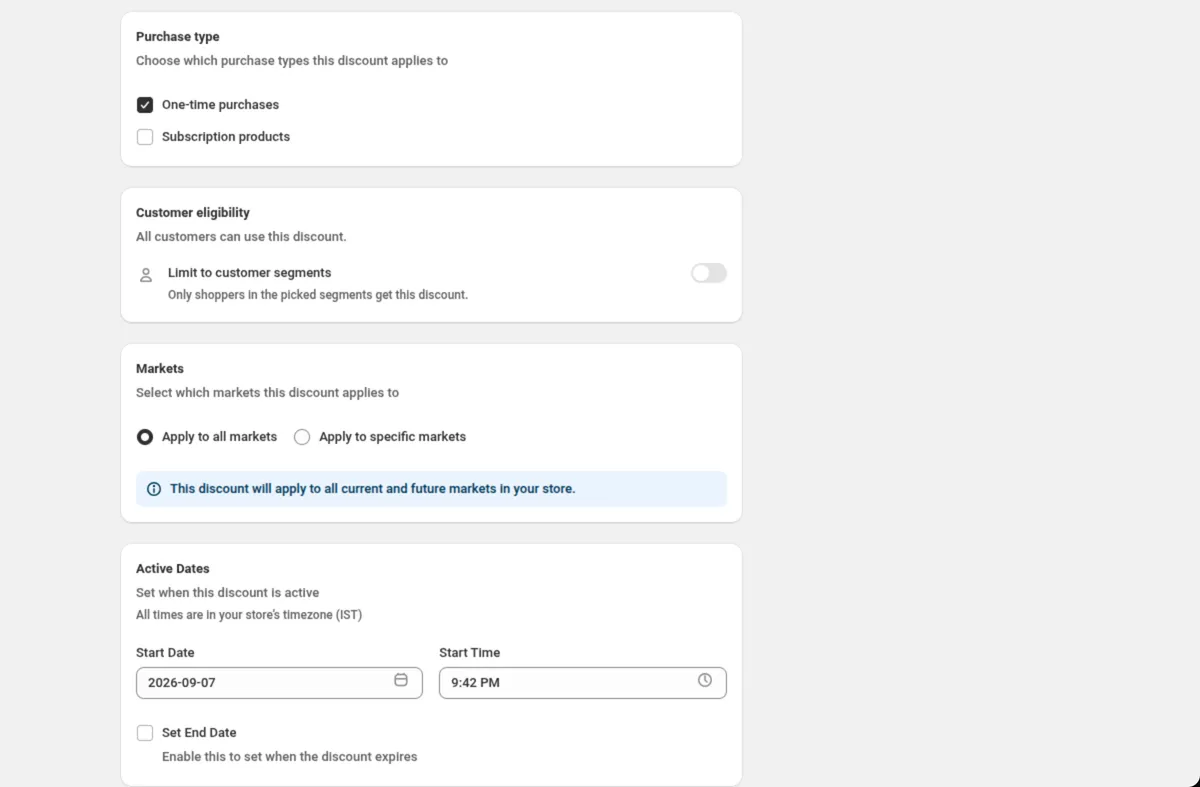
- Choose markets and dates, then save. Save from the bar at the top of the page. Every field is explained in Conditions and Customer eligibility.
Setup values for common tag discounts
| Goal | Discount Rules | Discount Type |
|---|---|---|
| VIP 15% off everything | Customer tags · is one of · VIP | Percentage off, 15 |
| Wholesale price on a collection | Customer tags · is one of · Wholesale AND Specific collections · is one of · Bulk | Percentage off, 30 |
| Retail sale that skips wholesale | Customer tags · is not one of · Wholesale | Percentage off, 20 |
| Free shipping for members over $50 | Customer tags · is one of · Member AND Cart subtotal · is greater than or equal to · 50 | Free shipping (Shipping discount) |
Where else can a customer tag gate a DiscountOS offer?
| DiscountOS type | Where the tag goes |
|---|---|
| Product, Order, Shipping | Discount Rules, with every other condition |
| Price List | Discount Rules, next to Specific products and Specific collections |
| Bundle | Customer Eligibility (Discount Rules) |
| Multi-offer | Who can use this discount, for every offer in the discount |
| Spend More Save More, Gift with Purchase | The Customer tags toggle on the Conditions card |
| Block codes | A customer tag condition on the rule |
Multi-offer is the way to give tagged customers several offers from one automatic discount slot, for example 15% off dresses and free shipping for VIP. How to have more than 25 automatic discounts on Shopify explains why that matters.
What to check before you launch a customer tag discount
- Ask tagged customers to sign in. Eligibility follows the signed-in customer, so a VIP who signs in before checkout gets the VIP discount.
- Tags are exact words. The rule matches the tag you type. Check the spelling against a real customer record before you save.
- Check the card after deleting a segment. Shopify drops a deleted segment from the discount. DiscountOS marks it “(no longer exists)” on the Customer eligibility card and asks you to remove it or pick another segment before the next save.
- Show the offer only to them. A DiscountOS sale badge you write yourself has Limit who sees this, which shows it only to signed-in customers with the tags you list.
Pricing a members-only discount? The break-even guide shows what a percentage does to margin. For free shipping to members in one region, read how to offer free shipping to specific countries, states or ZIP codes.
Questions merchants ask
Can a Shopify discount be based on a customer tag? Yes. Shopify’s changelog of 6 August 2025 added an eligibility section to automatic discounts, so an automatic discount can go to all customers, selected segments or individual customers. A segment built on the customer_tags filter, such as customer_tags CONTAINS ‘VIP’, turns a tag into a segment you can assign.
How many customer segments can one automatic discount use? The Shopify Help Center says: “For automatic discounts, you can have up to 5 customer segments for a single discount.” For discount codes the same page allows up to 100. These are Shopify’s limits and apply to every app. A DiscountOS Customer tags condition reads the tag from the customer record, so a tag rule needs no segment.
Can I exclude customers with a tag, like Wholesale, from an automatic discount? Yes. In DiscountOS the Customer tags condition has two operators, is one of and is not one of, so Customer tags · is not one of · Wholesale keeps tagged wholesale customers out of the discount. Natively, a customer segment built with customer_tags NOT CONTAINS “Wholesale” can be assigned to the discount instead.
How do tagged customers get the discount at checkout? Tag-based eligibility follows the signed-in customer, so ask tagged customers to sign in to their account before they check out. In DiscountOS, add Customer logged in · equals · True to make that part of the rule. The Shopify Help Center says customers in a segment can be identified when they check out using a valid email address or phone number.
Which DiscountOS discount types can use customer tags? Product, Order, Shipping, Price List and Bundle discounts take Customer tags in their rules. Multi-offer takes it in Who can use this discount, and Spend More Save More and Gift with Purchase have a Customer tags toggle. Block codes can also check a customer tag. DiscountOS is free.
Sources
- Shopify Changelog, Customer eligibility for automatic discounts, 6 August 2025: “We’ve added a new eligibility section for automatic discounts.” Read on 26 September 2026.
- Shopify Help Center, Managing and editing your discounts: customer and market eligibility, “For automatic discounts, you can have up to 5 customer segments for a single discount.”, “For discount codes, you can have up to 100 customer segments for a single discount.”, and identification by email address or phone number at checkout. Read on 26 September 2026.
- Shopify Help Center, Shopify-based customer segment filters: the customer_tags filter, “Includes customers based on their tags.” Read on 26 September 2026.
- Shopify Help Center, Customer segmentation: “After you create a customer segment, customers are automatically added or removed to the segment list based on whether they meet the segment criteria.” Read on 26 September 2026.
- DiscountOS on the Shopify App Store, listed as DiscountOS ‑ Market Discount, read on 26 September 2026: Built for Shopify, free.
- DiscountOS documentation: Customer eligibility, Conditions, Multi-offer, Sale badge.