How to set up a Shopify free shipping discount by country, state or ZIP code
Set up a Shopify free shipping discount for the countries, states, ZIP codes or shipping methods you choose, as an automatic discount or a code.
DiscountOS is a Built for Shopify discount app that runs multiple offers inside a single automatic discount, including market-specific and tiered discounts.
Can a Shopify free shipping discount target specific countries, states or ZIP codes?
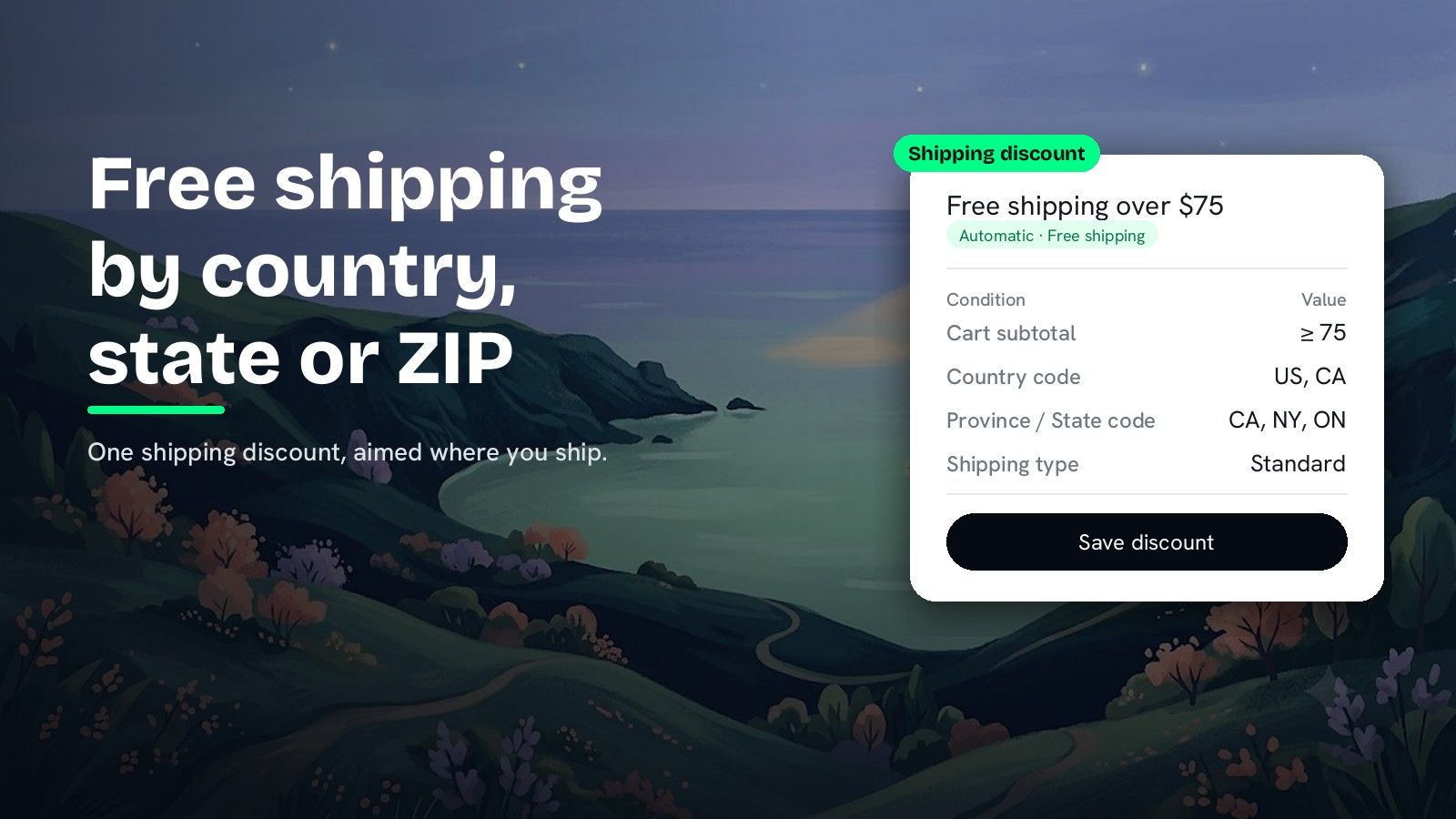
Countries, yes. For states and ZIP codes, the Help Center page on free shipping discounts describes no field. The Shopify Help Center page on free shipping discounts says you can create a free shipping discount code or set up an automatic free shipping discount, and for either one you “leave All countries selected or choose the countries” it applies to. The same page offers Exclude shipping rates over a certain amount, a minimum purchase amount or quantity, and eligibility by customers, segments or markets. It describes no field for a state, a province, a ZIP code or a shipping method. A DiscountOS Shipping discount fills it with conditions: Province / State code, Postal code and Shipping city for the place, Shipping type and Shipping method for the rate, and Cart subtotal for the threshold. The discount runs automatic or as a code, and conditions join with AND or OR.
Shopify free shipping discount or DiscountOS Shipping discount?
| Target | Native free shipping discount | DiscountOS Shipping discount |
|---|---|---|
| Automatic or code | Both (Help Center) | Both: Automatic or Discount Code |
| Countries | Choose countries (Help Center) | Country code, is one of or is not one of |
| State or province | Not described on the Help Center free shipping page | Province / State code |
| ZIP or postal code | Not described on the Help Center free shipping page | Postal code |
| City | Not described on the Help Center free shipping page | Shipping city |
| One shipping method | Not described on the Help Center free shipping page; it offers excluding rates over an amount | Shipping type or Shipping method |
| Spend threshold | Minimum purchase amount (Help Center) | Cart subtotal · is greater than or equal to |
| Value | Free shipping | Free shipping, Percentage off, Fixed amount off or Flat rate |
| Customer segments | Customer segments (Help Center) | Limit to customer segments |
If whole countries are all you need, the native free shipping discount does it. The DiscountOS Shipping discount is for anything finer than a country, for one rate, or for a reduced or flat price instead of free.
How to set up free shipping by country, state or ZIP code in DiscountOS
- Open DiscountOS, click Create discount, and choose Shipping Discounts. It sits under Discounts in the create menu.
- Choose the discount method and name it. Pick Automatic and type a Title such as “Free shipping over $75”, or pick Discount Code and type the code. On an automatic discount, the title is what shoppers see next to the reduced delivery price.
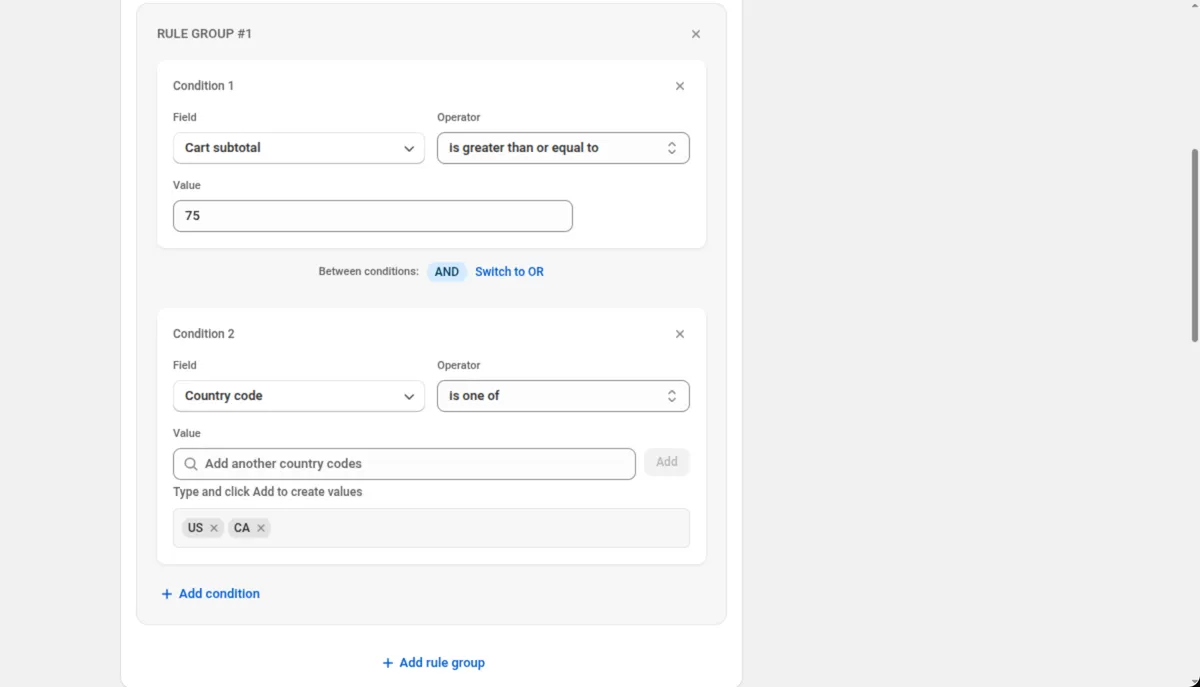
- Add the spend threshold. In Discount Rules, click Add your first rule and set Cart subtotal · is greater than or equal to · 75.
- Add the destination. Click Add condition, set Field to Country code, Operator to is one of, type
US, click Add, then addCA. Keep Between conditions on AND so both conditions must be true.
- Narrow it further if you need to. Swap or add Province / State code (CA, NY, ON), Postal code (90210, 10001) or Shipping city. Use is not one of to leave places out.
- Pick the rate, if only one should be free. Add Shipping type · contains · Standard, or Shipping method · equals and the exact rate name.
- Choose the discount type. In Discount Configuration, set Discount Type to Free shipping. It needs no value. Percentage off at 100 gives the same result.
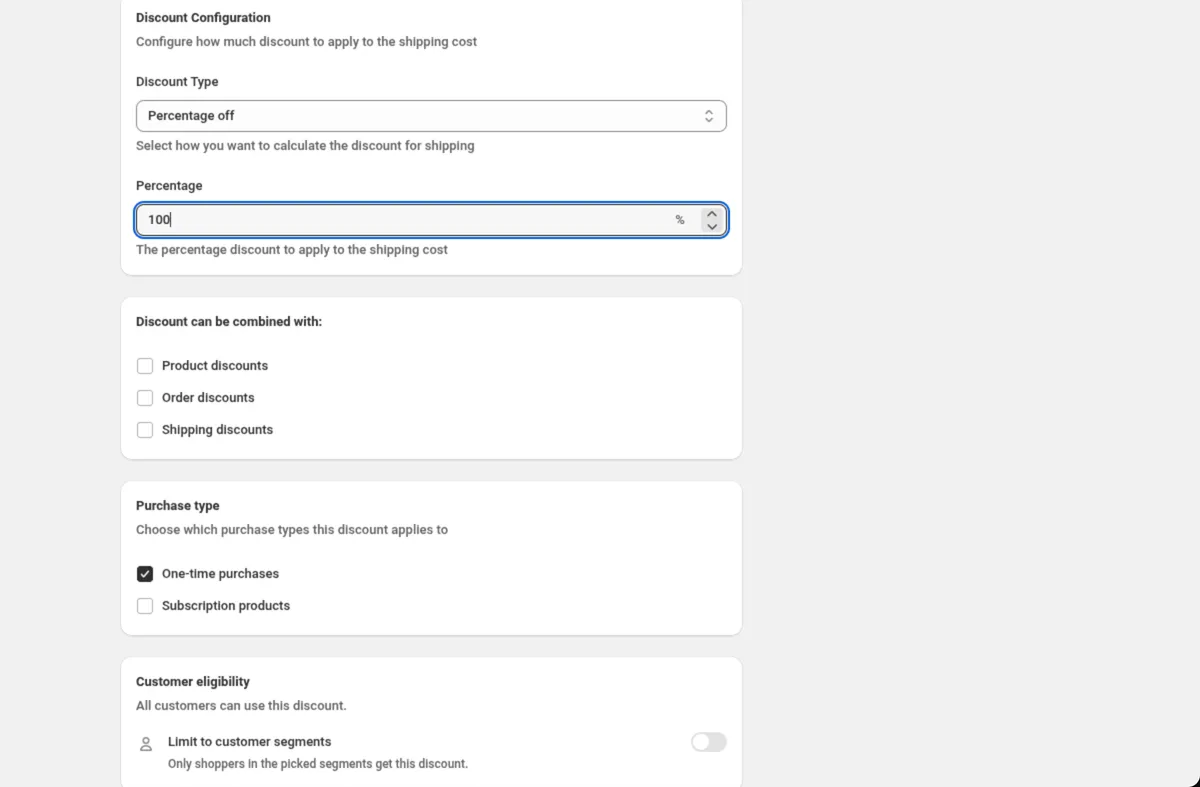
- Set combinations, customers, markets and dates, then save. Tick Product discounts or Order discounts under Discount can be combined with if the free shipping should sit next to your other sales. Every setting is explained in the Shipping discount docs.
Setup values for common regional shipping offers
| Offer | Discount Rules | Discount Type |
|---|---|---|
| Free shipping over $75 in Ontario | Cart subtotal · is greater than or equal to · 75 AND Province / State code · is one of · ON | Free shipping |
| Free shipping in the US except Alaska and Hawaii | Country code · is one of · US AND Province / State code · is not one of · AK, HI | Free shipping |
| Local delivery area | Postal code · is one of · your ZIP codes | Free shipping |
| Half-price delivery to the US and Canada | Country code · is one of · US, CA | Percentage off, 50 |
| Flat 5 shipping, code for signed-in customers | Customer logged in · equals · True | Flat rate, 5 |
| 10 off express only | Shipping type · contains · Express | Fixed amount off, 10 |
Tips for a regional free shipping discount
- Codes, not names. Country code takes two-letter codes (US, CA, GB), and Province / State code takes codes such as CA, NY and ON.
- Free options stay free, paid options drop. A delivery option that already costs nothing stays at nothing, and the paid options on the same order are discounted.
- A flat rate never raises a price. Flat rate replaces only the options that cost more than your rate.
- Markets and destination rules work together. The Markets card picks the markets you choose, while Country code reads the destination country of the delivery. See Markets and currency.
- Shopify decides what combines. A tick in Discount can be combined with allows that kind of discount alongside this one. Shopify decides what applies.
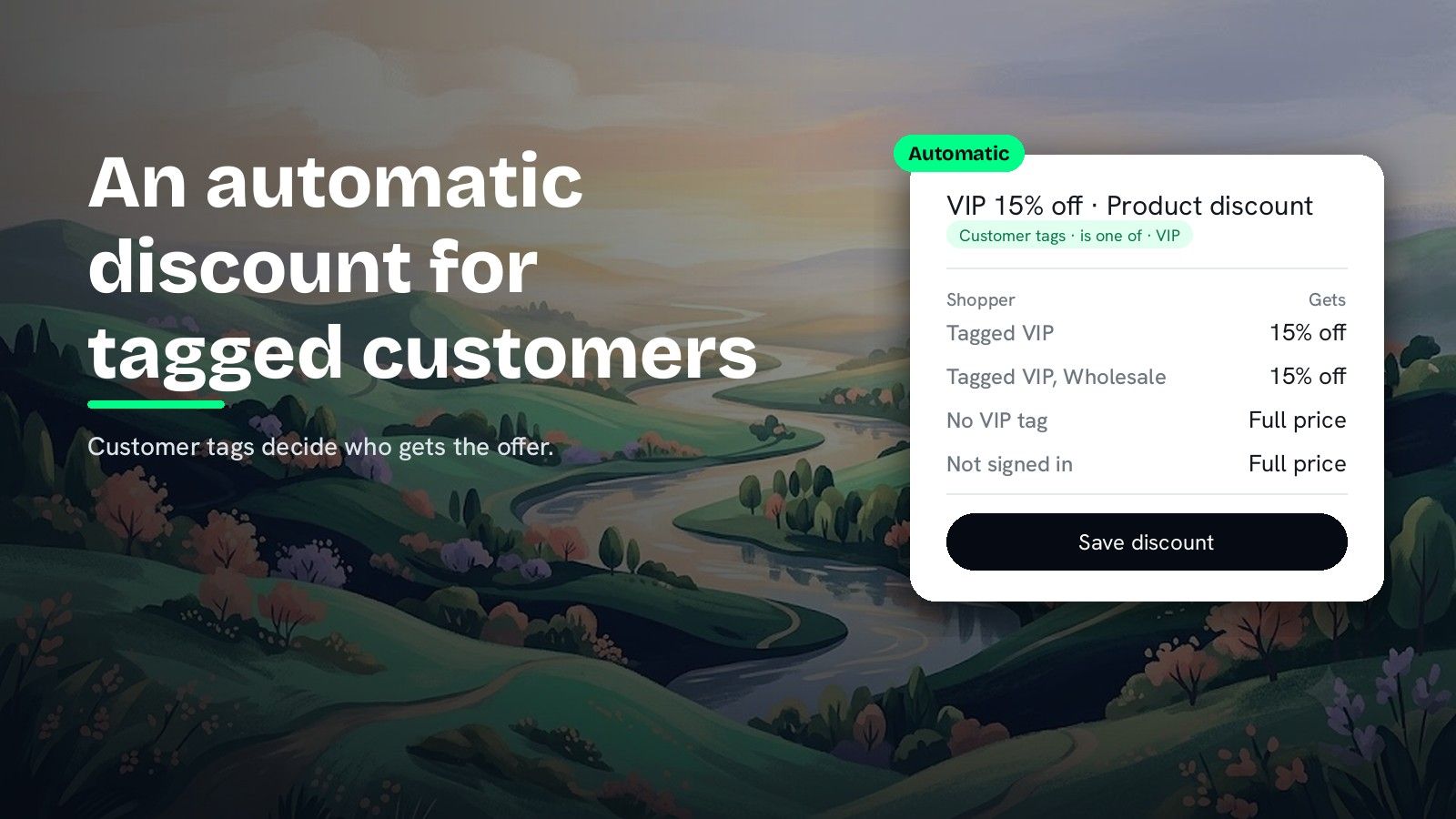
Running a different offer in every country? How to set different discounts for different countries on Shopify covers per-market offers in one discount, and how to have more than 25 automatic discounts on Shopify covers the slot limit. For free shipping that only tagged members get, read how to give an automatic discount to customers with a specific tag.
Questions merchants ask
Can a Shopify free shipping discount be automatic? Yes. The Shopify Help Center page on free shipping discounts says you can create a free shipping discount code or set up an automatic free shipping discount. Both let you leave All countries selected or choose the countries the discount applies to.
Can I offer free shipping to one state or province only? The Shopify Help Center page on free shipping discounts describes choosing countries and describes no state or province field. A DiscountOS Shipping discount has a Province / State code condition, so Province / State code · is one of · ON gives free shipping to Ontario only.
Can I give free shipping to specific ZIP codes? Yes, with DiscountOS. The Postal code condition on a Shipping discount takes the ZIP codes you list, with is one of or is not one of. For a whole state, Province / State code is shorter to set up.
How do I exclude Alaska and Hawaii from free shipping? In a DiscountOS Shipping discount, add Country code · is one of · US and, in the same rule group with AND, Province / State code · is not one of · AK, HI. Set Discount Type to Free shipping.
Can free shipping apply only to one shipping method, like standard? Yes, in DiscountOS. Shipping type matches a word in the service name with contains or does not contain, and Shipping method matches a named rate with equals, contains or does not contain. DiscountOS is free.
Sources
- Shopify Help Center, Free shipping discounts: automatic and code free shipping discounts, the Countries choice, Exclude shipping rates over a certain amount, minimum purchase requirements and eligibility. Read on 26 September 2026.
- Shopify Help Center, Automatic discounts: “You can create amount off, free shipping, buy X get Y, or app-based automatic discounts.” Read on 26 September 2026.
- DiscountOS on the Shopify App Store, listed as DiscountOS ‑ Market Discount, read on 26 September 2026: Built for Shopify, free.
- DiscountOS documentation: Shipping discount, Conditions, Customer eligibility, Markets and currency.