
客户资格
有两种方式可以说明一个折扣是给谁的:您自己在规则构建器中构建的条件, 以及由 Shopify 替您检查的客户限制 — 您本来就保存在 Shopify 中的客户细分,或您选中的指定客户。
客户类条件是您的 Discount Rules 的一部分。您来编写它们,DiscountOS 把它们放进折扣, Shopify 则连同其他内容一起用它们来检查购物车。
Limit to certain customers 则不同。您选中的客户细分或客户是在 Shopify 本身中附加到折扣上的, Shopify 会在折扣运行之前就检查买家。客户细分的任何部分都不是由应用计算的。
两者可以同时使用。客户限制决定这个折扣是否会提供给该买家; 您的条件随后再在其上生效。
资格判断跟随的是Shopify 能识别的客户。买家已登录时,或使用属于该客户的有效电子邮件地址 或电话号码结账时,即被识别。Shopify 无法识别的买家不会获得限定给客户细分或指定客户的折扣。
它出现在哪里
Section titled “它出现在哪里”客户类条件位于 Discount Rules 卡片中(在捆绑组合上,位于 Customer Eligibility (Discount Rules);在多重优惠和 Custom Discount 上,位于 Who can use this discount)。
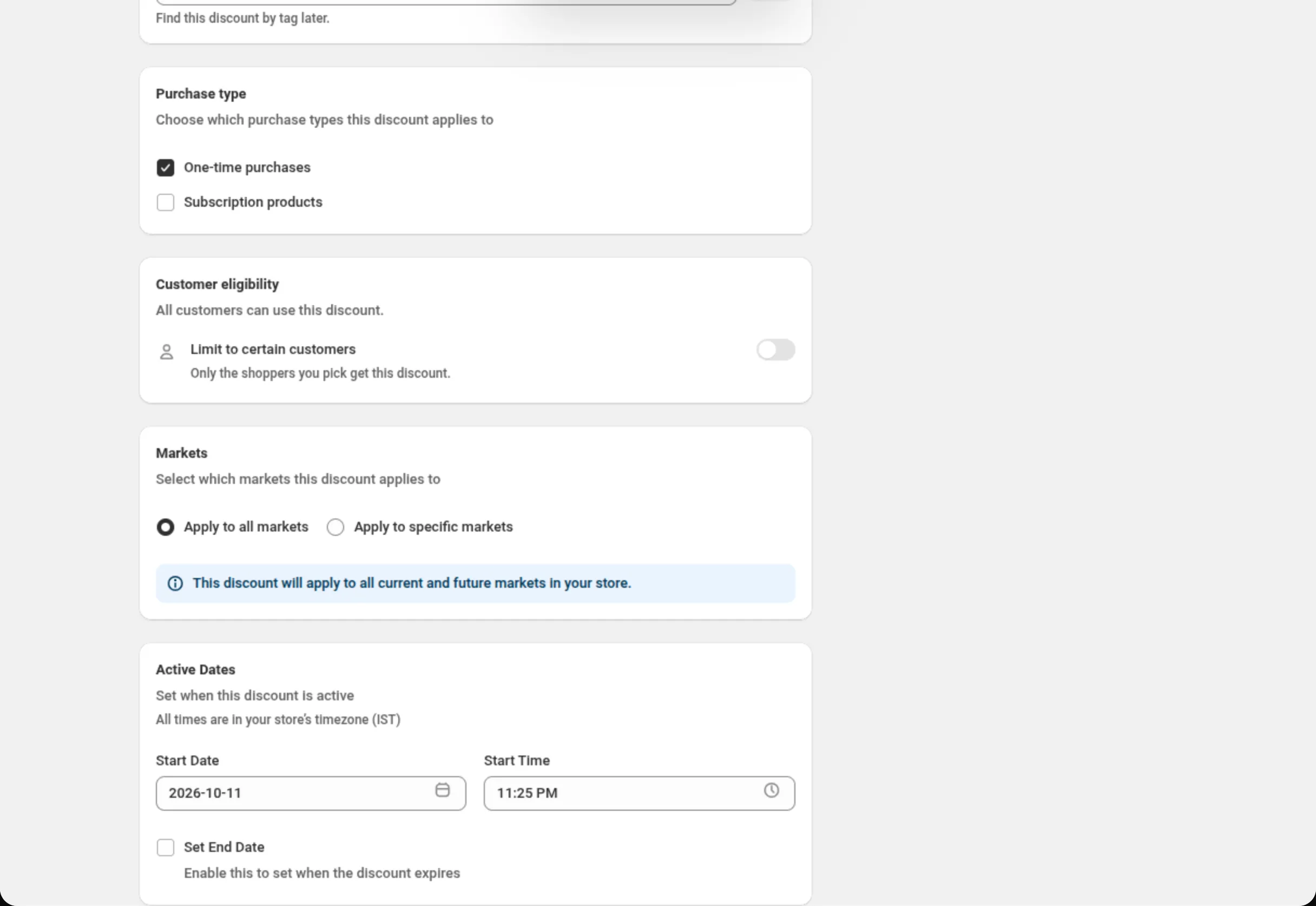
Limit to certain customers 开关出现在八种折扣类型上:
- 产品、订单、配送、价格表和买 X 得 Y — 在单独的 Customer eligibility 卡片上,位于 Markets 卡片的正上方。
- 捆绑组合 — 在 Customer Eligibility (Discount Rules) 内。
- 多重优惠和 Custom Discount — 在 Who can use this discount 内。
Customer tags
Section titled “Customer tags”客户记录上的标签。运算符:is one of、is not one of。最多 20 个标签。 当您已经把客户标记为 “VIP” 或 “Wholesale”,并希望折扣跟随这个标签时,可以使用它。
Customer orders count
Section titled “Customer orders count”买家已下过多少个订单。运算符:equals、is greater than or equal to、 is less than or equal to。一个 0 或更大的整数 — equals 0 是首单折扣, is greater than or equal to 5 则奖励回头客。
Customer logged in
Section titled “Customer logged in”equals True 把折扣限定给已登录自己账户的买家;equals False 则把它限定给访客。
Customer is B2B
Section titled “Customer is B2B”equals True 把折扣限定给企业客户;equals False 则把他们排除在外。
Limit to certain customers
Section titled “Limit to certain customers”Customer eligibility 卡片上的开关。关闭时,卡片显示 “All customers can use this discount.”。打开时,它显示 “Shopify checks who the shopper is before they pay.”, 并出现 Match by,有两个选项:Customer segments 或 Specific customers。 一个折扣一次只能使用其中一种。关闭这个开关会清空您选中的内容。
Customer segments
Section titled “Customer segments”一个按钮 — Select customer segments,选好之后会变成 Add or remove segments。 它会打开您店铺中客户细分的列表,带有一个搜索框,以及一行计数文字,例如 “2 of 5 selected”。 Done 会应用您的选择;Cancel 则保持不变。
选中的客户细分会以列表形式显示在按钮下方,每一行一个,并带有一个移除用的 ✕。 列表一次最多显示 50 个客户细分;数量更多时,它会显示 Type to narrow the list, 搜索框可以找到其余的客户细分。
Specific customers
Section titled “Specific customers”一个按钮 — Select customers,之后会变成 Add or remove customers。按姓名或邮箱搜索, 勾选客户,然后按 Done。每个选中的客户显示为一行,包含姓名、下方的邮箱,以及一个移除用的 ✕。
仅限 VIP 客户,按标签
Discount Rules → RULE GROUP #1Condition 1: Customer tags · is one of · VIP首单欢迎折扣
Discount Rules → RULE GROUP #1Condition 1: Customer orders count · equals · 0一个以客户细分为门槛的自动折扣
Customer eligibility → Limit to certain customers: onMatch by: Customer segmentsSelect customer segments: Customers who haven't purchased面向三位指定批发买家的折扣码
Discount method: Discount CodeCustomer eligibility → Limit to certain customers: onMatch by: Specific customersSelect customers: the three buyers面向批发的折扣码,用两种方式检查
Discount method: Discount CodeCustomer eligibility → Limit to certain customers: onMatch by: Customer segmentsSelect customer segments: WholesaleDiscount Rules → RULE GROUP #1 → Customer is B2B · equals · True- **客户细分:**自动折扣最多 5 个,折扣码最多 20 个。
- **指定客户:**最多 100 个,自动折扣和折扣码都适用。
- 开关打开后,至少需要选择一个客户细分或客户,并且同一个不能重复选择。
- **可用于八种折扣类型:**产品、订单、配送、价格表、买 X 得 Y、捆绑组合、 多重优惠和 Custom Discount。
- **客户细分保存在 Shopify 中。**请在 Customers › Segments 下创建和编辑它们; 应用只从已有的内容中选择。
- **被删除的客户细分会让这道门失效。**Shopify 会把该客户细分从折扣中移除, 在 Shopify 一侧这个折扣会变成对所有客户可用。此时应用中的那一行会显示 “(no longer exists)“,并且在您移除它或改选另一个客户细分之前拒绝保存。 删除任何客户细分之后,请检查这张卡片。
- **新设置的客户细分门槛可能需要一段时间才会生效。**在您首次为一个已上线的折扣 加上客户细分门槛之后,曾观察到最多约一小时 Shopify 才开始按成员身份执行。 在认定这道门坏了之前,请给它一点时间。
- **权限。**两个选择器都需要应用的客户权限。如果该权限尚未获批, 卡片会这样说明,并提供 Reload app 和 Retry。
- **条件仍然会在其上生效。**客户细分门槛永远不会取代您的 Discount Rules。