
折扣在哪里显示
您的折扣如何送达买家,取决于您在每个创建页面上都要做的一个选择:自动折扣,还是折扣码。
每个折扣页面开头都有一张 Discount method(折扣方式)卡片 — “How customers receive this discount” — 以及两个选项:Automatic(自动折扣)和 Discount Code(折扣码)。页面打开时, 已经选中的是 Automatic。
折扣创建之后,方式就固定了。在编辑页面上它只是被陈述出来,而不会再次提供选择, 因此一个已上线的折扣码永远不会悄悄变成自动折扣。
没有折扣码,买家什么也不用做。Shopify 会用您的规则检查购物车,当购物车符合条件时应用该折扣。
选项下方的字段是 Title,它的帮助文字明确说明了这个标题是给谁看的:“Customers will see this title when the discount is applied”。请按照您希望买家读到的样子来填写:
Title: Summer sale · 10% off
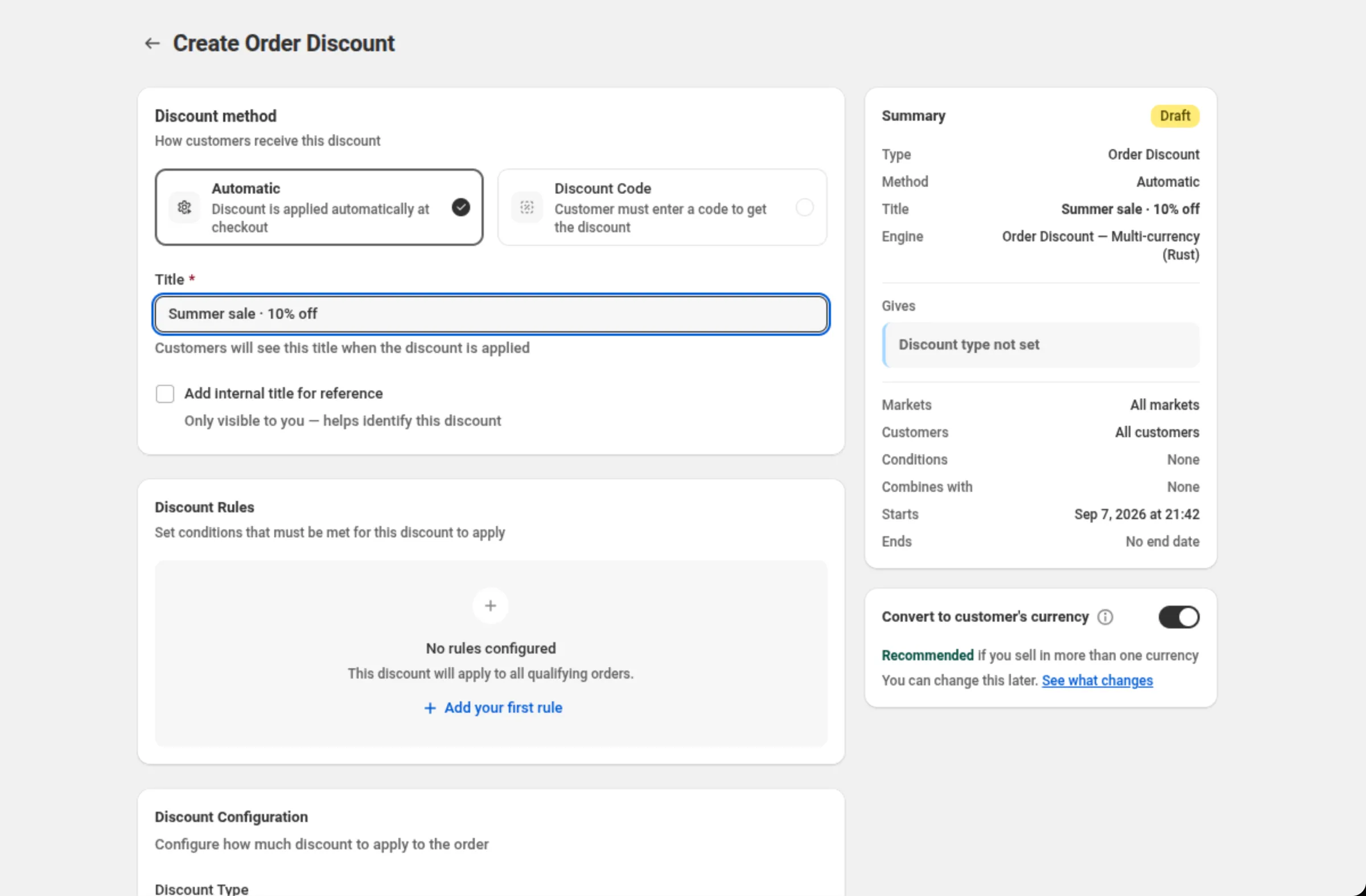
买家看到的就是这个字符串,一字不差。如果您还勾选了 Add internal title for reference,那么第二个名称就是 “Only visible to you — helps identify this discount”, 永远不会送达买家。
选择 Discount Code 后,同一个字段会变成 Discount Code。买家必须自己输入该折扣码, Shopify 才会应用这个折扣,所以折扣码就是您放进邮件、横幅或达人推文里的那个东西。
选择这种方式后,有两处会发生变化:
- 在您创建折扣期间,字段标签旁边会出现一个 Generate 操作。它会为您填入一个八位字符的折扣码。
- 页面靠下的位置会出现一张 Maximum discount usage 卡片,其中有 Limit number of times this discount can be used in total(“Total number of times this discount can be used across all customers”)和 Limit to one use per customer。这两项在自动折扣上都不可用。
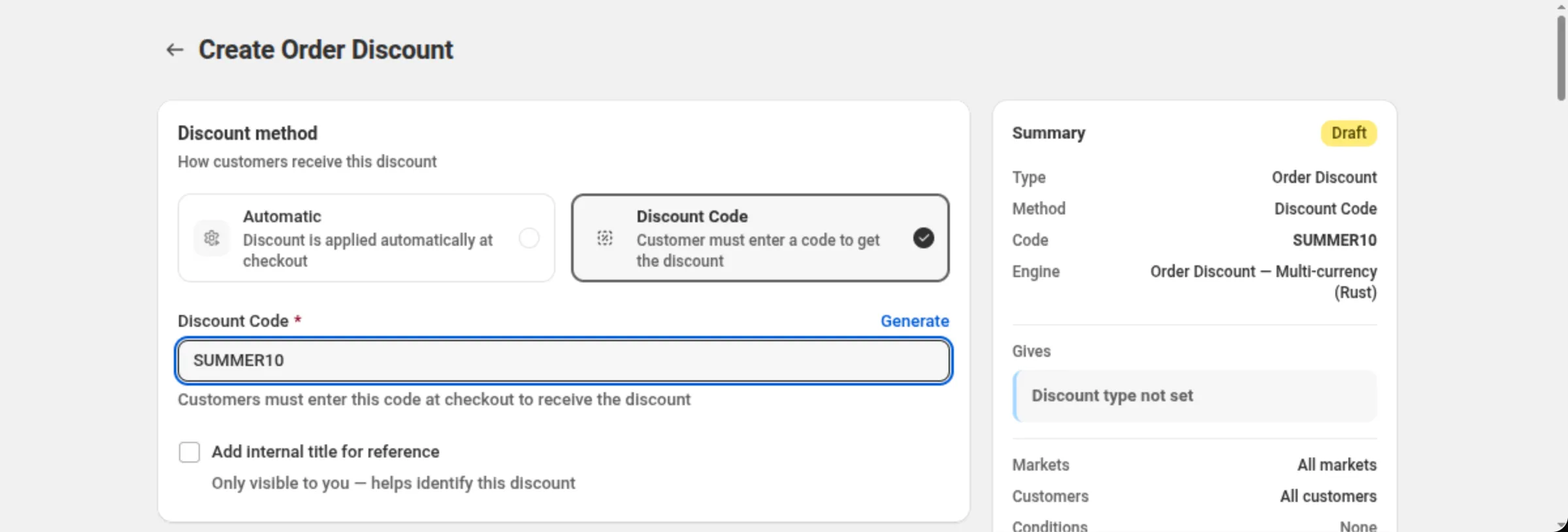
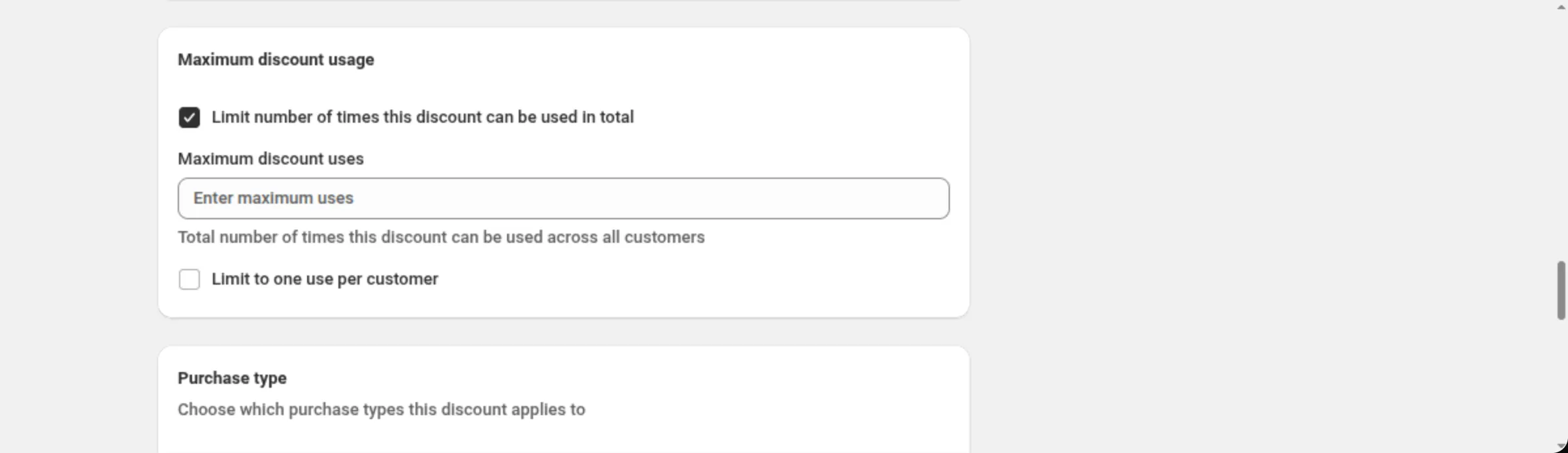
折扣码只接受字母、数字、下划线和连字符。其他字符会在该字段上被拒绝,并提示 “Discount code must contain only letters, numbers, underscores, and hyphens”。
各自负责什么
Section titled “各自负责什么”DiscountOS 负责创建折扣,并把它交给 Shopify。最终落在您店铺上的折扣是一个真实的 Shopify 折扣, 自动折扣或折扣码,而针对每一个购物车运行它的是 Shopify。
这种分工在实际使用中有一个重要意义:计算折扣不会调用该应用的服务器。 折扣做出判断所需要的一切,在买家到访之前就已经在您的店铺上了。
与其他折扣组合
Section titled “与其他折扣组合”Discount can be combined with: 卡片上有三个复选框 — Product discounts、Order discounts 和 Shipping discounts。勾选其中一个,就等于告诉 Shopify 这个折扣可以与那一类折扣 一起运行。
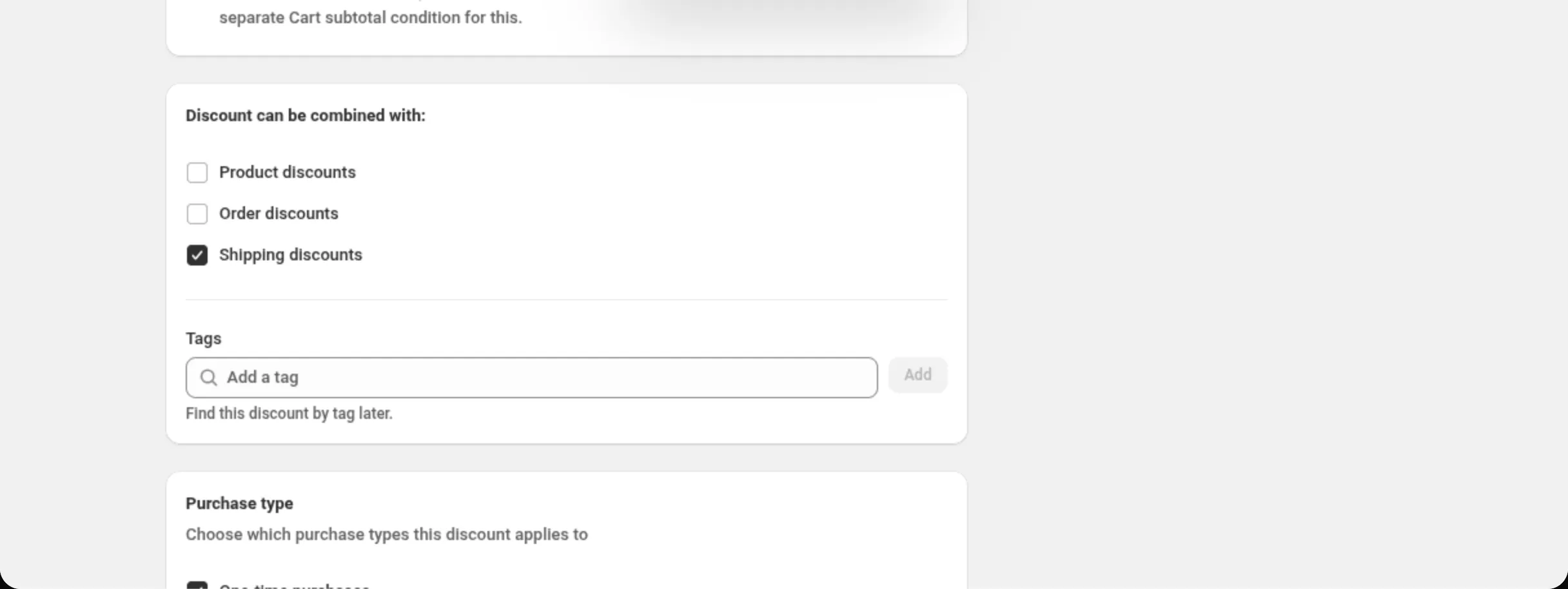
如果勾选了不止一个,应用会在卡片中显示一条警告:
Some combinations can result in large discounts. Test a few combinations. If the total discount is too large, adjust which discounts can combine.
这里的任何内容都不会预测哪一个折扣会胜出。当两个折扣都可能适用时,由 Shopify 决定, 应用不会替它猜测。
如果折扣没有显示
Section titled “如果折扣没有显示”在做其他事情之前,先逐项检查这份清单:
- 该折扣是 Active,而不是 Scheduled 或 Expired — Summary 卡片顶部的状态标签会说明是哪一种。
- 购物车确实符合 Discount Rules 中的条件。没有任何规则时,页面自己会这样写: “This discount will apply to all qualifying orders.”。
- 对于折扣码折扣,买家确实输入了折扣码。在他们输入之前不会发生任何事情。
- Summary 卡片上的 Combines with 与您的意图一致。一个不与任何折扣组合的折扣, 不会和另一个同样想要生效的折扣叠加。
- 创建您的第一个折扣 — 自动折扣的版本, 从头到尾。
- 安装 DiscountOS — 该应用会在您的后台中添加什么。