
创建您的第一个折扣
您会得到一个可用的折扣:订单总额减免 10%,无需折扣码即可生效。整个过程只需四步。
-
打开折扣类型选择器。
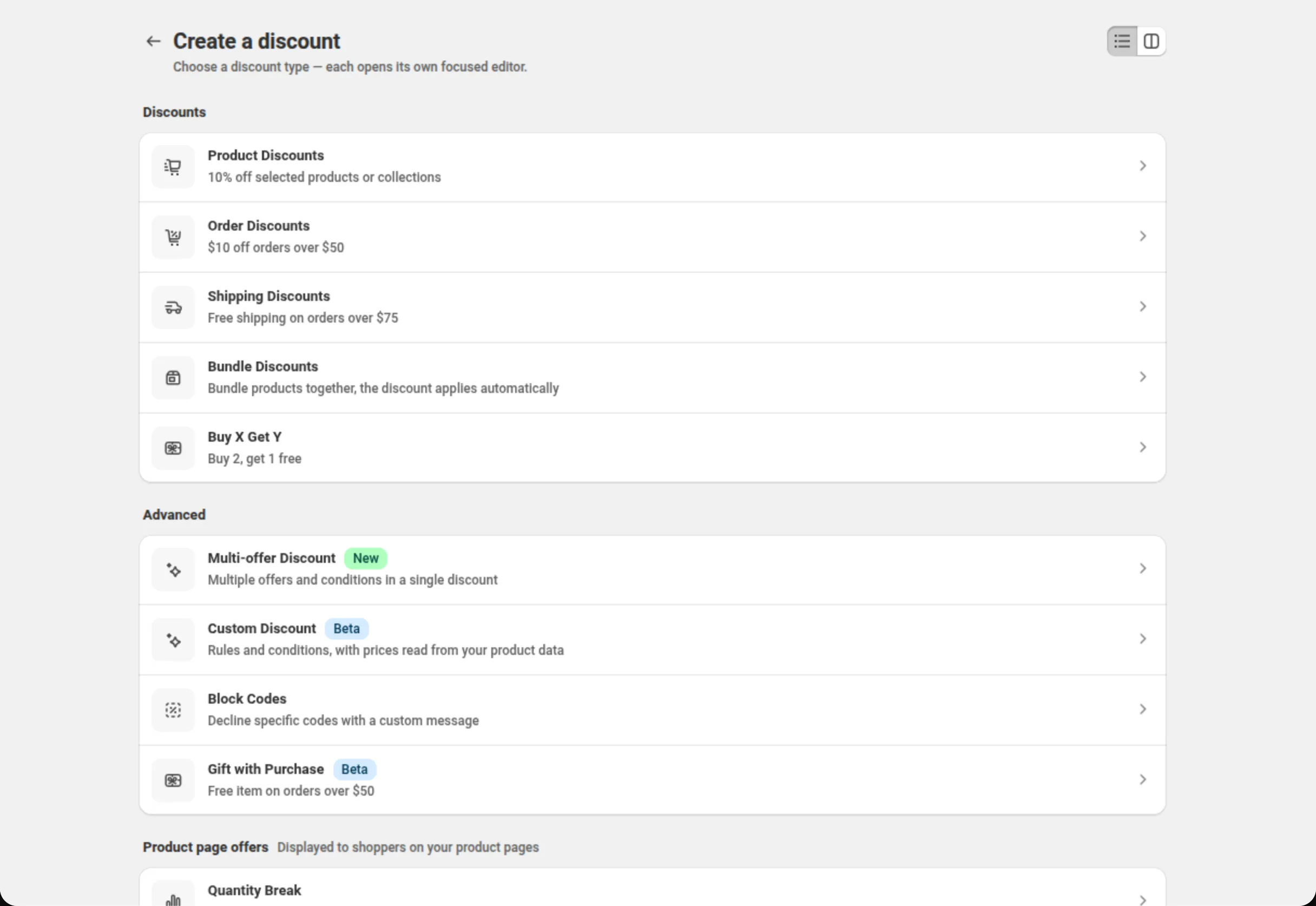
前往 Manage discounts(管理折扣)并点击 Create discount。该页面的标题是 “Create a discount”,应用能创建的每一种类型都在上面。
-
选择 Order Discounts,并为折扣命名。
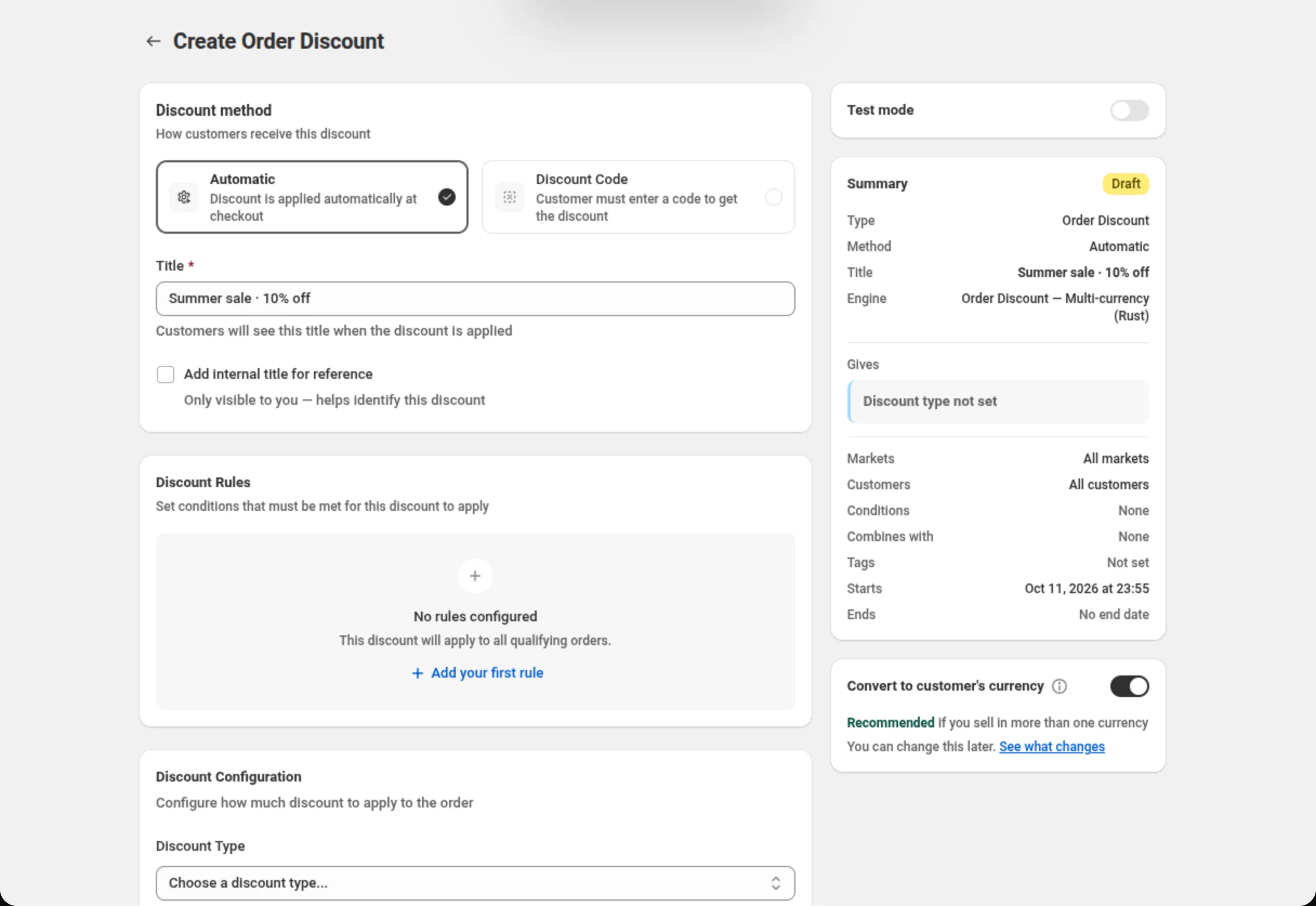
您要的那一行是 Order Discounts,描述为 “$10 off orders over $50”。它会打开一个标题为 “Create Order Discount” 的页面。
在 Discount method(折扣方式)下,Automatic(自动折扣)已经被选中 — 保持不变。 然后填写标题:
Title: Summer sale · 10% off字段下方的帮助文字说明了这个标题的用途:“Customers will see this title when the discount is applied”。请为买家而写,而不是为您自己而写。
-
设置折扣。
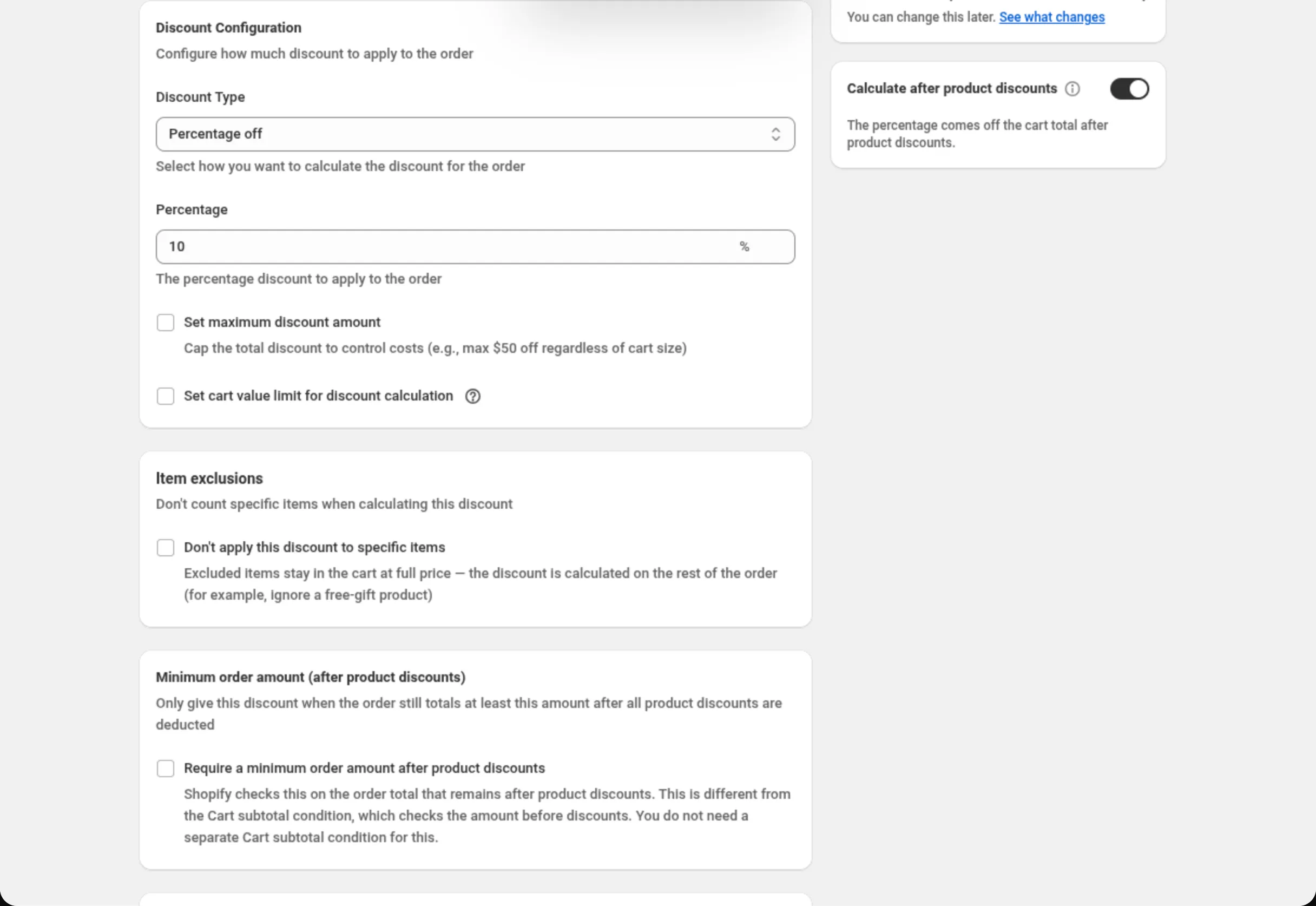
滚动到 Discount Configuration 并设置两个字段:
Discount Type: Percentage offPercentage: 10保持 Set maximum discount amount 和 Set cart value limit for discount calculation 不勾选。保持 Discount Rules 为空 — 没有任何规则时,页面会明确告诉您这意味着什么: “This discount will apply to all qualifying orders.”。
-
保存折扣。
只要表单内容与载入时不同,保存栏就会出现在页面顶部。点击 Save。 (同一栏上的 Discard 会丢弃这些更改。)
应用会用 “Discount created” 确认,并打开该折扣供您编辑。
在没有套餐的店铺中,该折扣会以测试模式保存:Test mode 卡片 显示开关处于打开状态,并带有锁形图标、Pro 徽章和 Subscribe to unlock 链接。您可以用 带有标签
dos-test的客户账户测试它;要为所有客户开启它,需要 Pro 套餐。请参阅 套餐与账单。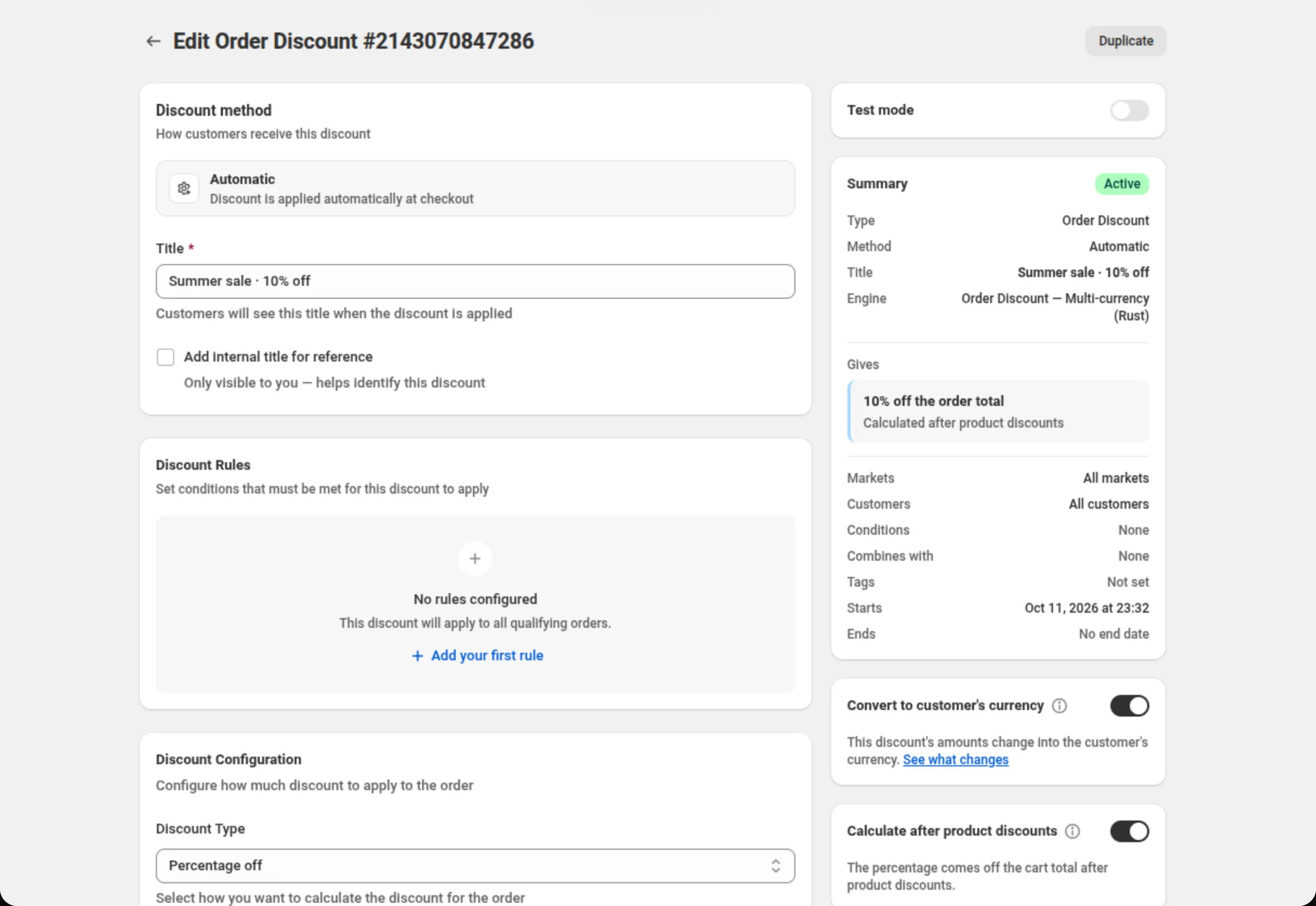
摘要中显示的内容
Section titled “摘要中显示的内容”右侧的 Summary(摘要)卡片是根据页面上的内容生成的,并且会随着您的输入实时更新。 保存之后,它显示:
- 一个状态标签 — 正在运行的折扣显示 Active。在您保存之前,该标签显示 Draft。
- Type — Order Discount。
- Method — Automatic。
- Title — Summer sale · 10% off。
- Engine — 这个折扣绑定到应用的哪一个折扣引擎。
- Gives — 10% off the order total,其下方是 “Calculated after product discounts”。这一行用文字描述了折扣的奖励内容。在您选定折扣类型之前, 它显示 “Discount type not set”,因此一个只完成一半的折扣永远不会看起来像是已经做好了。
- Markets — All markets。Customers — All customers。Conditions — None。Combines with — None。Tags — Not set。Starts — 折扣开始的日期和时间,采用您的店铺时区。Ends — No end date。
在摘要下方,Convert to customer’s currency(换算为客户的货币)默认为打开。 除非您有理由不这么做,否则请保持打开;它只在您以多种货币销售时才有影响。
在它下方,Calculate after product discounts 也默认为打开。当购物车同时享有产品折扣时, 您的 10% 从扣除该产品折扣之后的购物车金额中计算,与 Shopify 自己的折扣相同。请参阅 订单折扣。
页面标题现在变成 “Edit Order Discount” 并带有该折扣的编号,旁边有一个 Duplicate 按钮 — 这是创建第二个类似折扣的最快方式。
这个折扣的作用
Section titled “这个折扣的作用”不需要再做别的。该折扣已在您的店铺上生效,它会从订单总额中减免 10%,买家也不需要输入任何折扣码。 在没有设置任何规则的情况下,Shopify 会把它应用到每一个符合条件的订单上。
在没有套餐的店铺中,该折扣会一直处于测试模式,直到您选择套餐:只有带有标签 dos-test 的
已登录客户才能得到它。
修改它,或把它关掉
Section titled “修改它,或把它关掉”从 Manage discounts 中再次打开它。有一件事之后无法更改,那就是折扣方式: 自动折扣还是折扣码在创建折扣时就已固定,因此编辑页面只会显示所用的方式,而不会再次提供选择。
- 折扣在哪里显示 — 自动折扣与折扣码的区别, 以及买家看到的内容。
- 安装 DiscountOS — 如果您还没有安装该应用。
- 套餐与账单 — 没有套餐时可以做什么,以及 Pro 套餐会增加什么。