
Turn it on and control it
Deze inhoud is nog niet vertaald.
Storefront data is controlled from one line in Manage discounts. It is the last row of the discount list card, under the discounts and the page buttons, on every tab (All, Active, Scheduled, Expired, Native discounts).
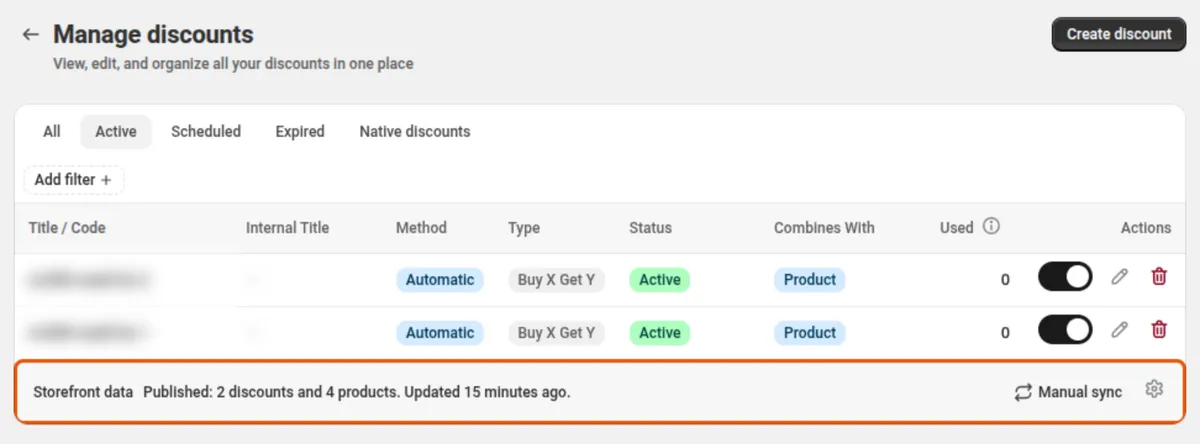
The line shows what is in your store now: how many discounts, products and collections carry data, and when it was last updated. Manual sync and the gear (settings) are on its right.
Turn it on
Section titled “Turn it on”-
Open Manage discounts and scroll to the Storefront data line at the bottom of the discount list.
-
Click the gear and switch Live sync on.
DiscountOS writes every live discount to your store. The first run takes a few seconds for a small store.
-
Choose where the data is written with the three switches below Live sync.
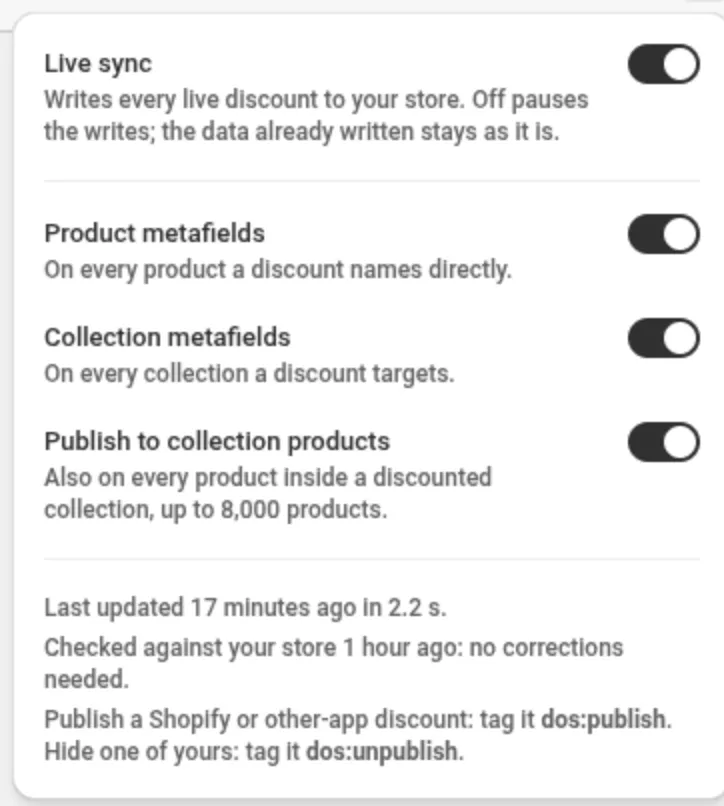
The switches
Section titled “The switches”| Switch | What it does | Starts |
|---|---|---|
| Live sync | Writes every live discount to your store and keeps it up to date. Turning it off pauses the writes. The data already written stays. | Off |
| Product metafields | Writes to every product a discount names directly. | On |
| Collection metafields | Writes to every collection a discount targets. | On |
| Publish to collection products | Also writes to every product inside a discounted collection, up to 8,000 products. | Off |
Manual sync
Section titled “Manual sync”Manual sync rebuilds the data now. Use it right after you change a discount’s tags, instead of waiting up to about 2 minutes, or when you want to be sure the store matches your discounts. When nothing is out of date, the sync changes nothing.
Turning Live sync off pauses the data. Everything already written stays in your store, and
the shop metafield sync_paused becomes true.
Turning Live sync on again runs a sync right away and removes anything that ended while it was paused.
Remove the data
Section titled “Remove the data”With Live sync off, the settings show Remove storefront data. It deletes every discount entry and metafield DiscountOS wrote to your store. Your discounts themselves are not touched. Turn Live sync on again later and the data is written fresh.
After a removal and a fresh write, each discount entry keeps its handle (discount-<id>) but gets
a new ID. Use the handle, not the ID, if your code stores a reference.